Project Management

Finally, project management built into your CRM.

Stop bouncing between Trello, Asana, sticky notes, and your donor database. DonorDock puts project boards, tasks, and deadlines right alongside your donor data so your team stays focused on what matters.
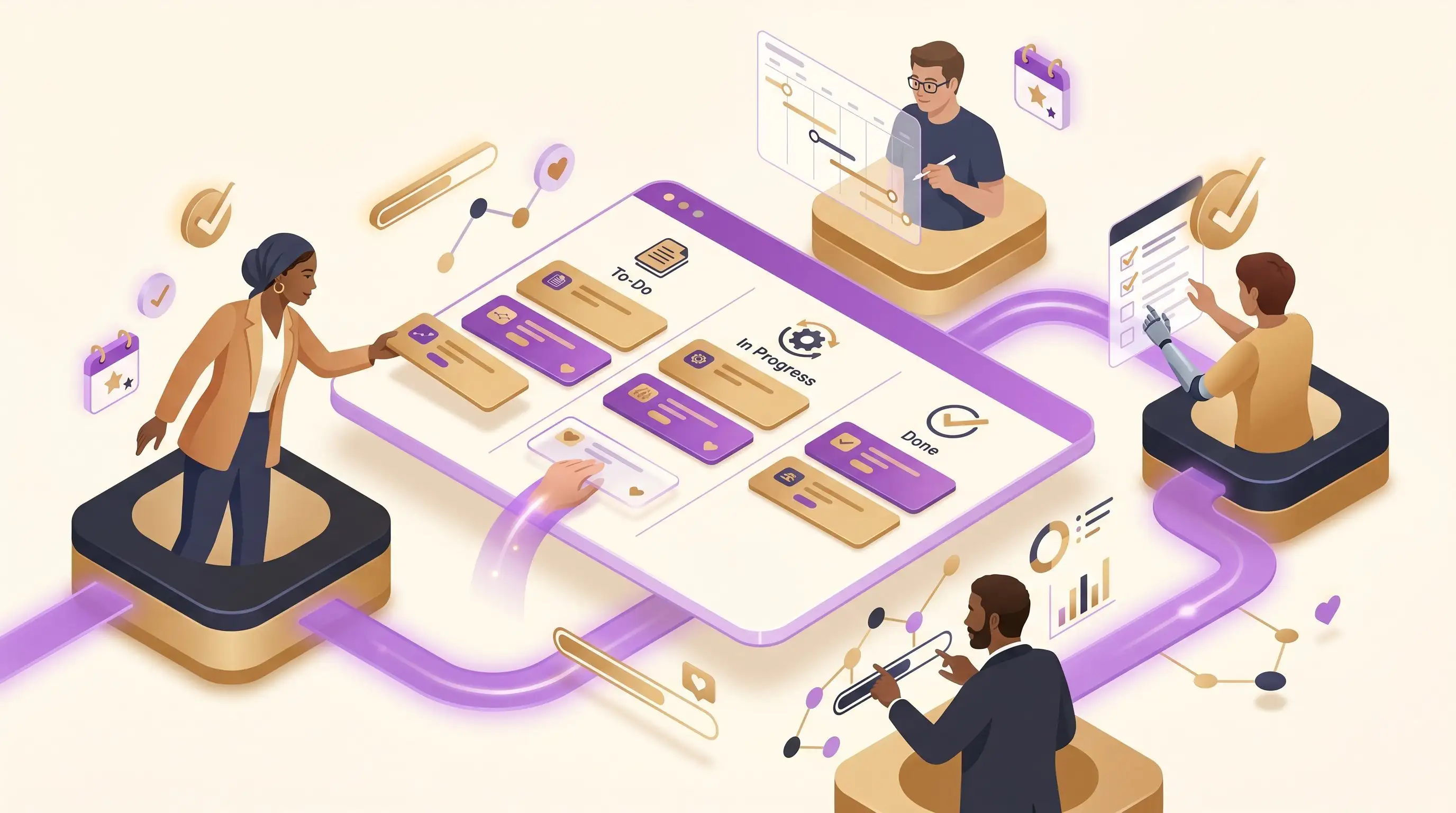
DonorDock solution screenshot
BY THE NUMBERS

Your team is drowning in tools, not making progress

Nonprofit teams spend too much time coordinating across disconnected systems. When project management lives inside your CRM, everything moves faster.

58%
of the workday spent on "work about work" like chasing updates and switching tools
1,200
times per day the average worker toggles between apps and websites
9.3hrs
per week spent searching for and gathering information across disconnected systems
YOUR COMMAND CENTER

Plan, assign, and track every initiative in one place.

Book Your Demo
PROJECT BOARDS

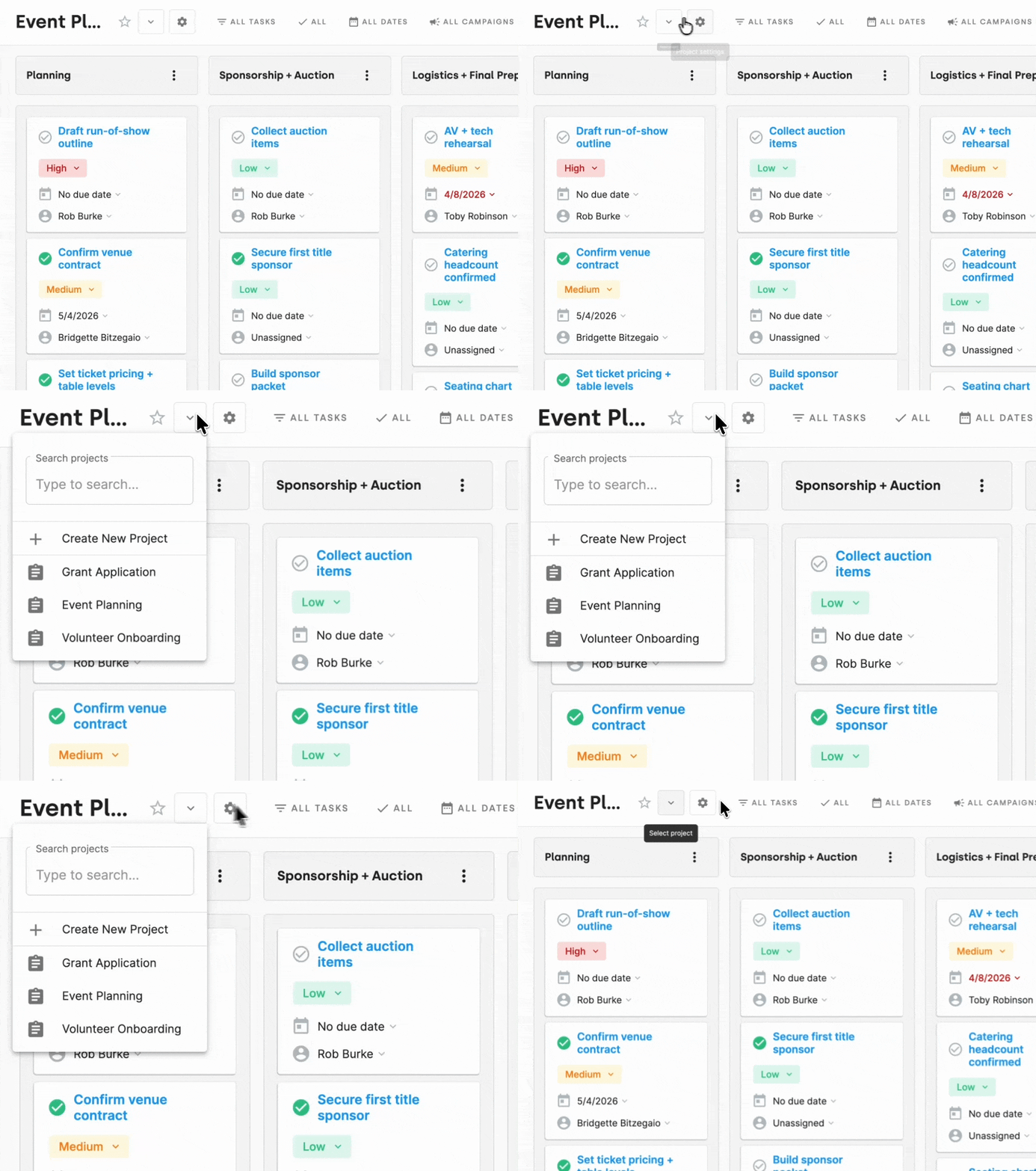
Organize any initiative with drag-and-drop boards.

Create project boards for galas, campaigns, grant applications, or onboarding. Move tasks across columns as work progresses. Everyone sees the same status without asking.
Desktop mockup of DonorDock
TASK MANAGEMENT

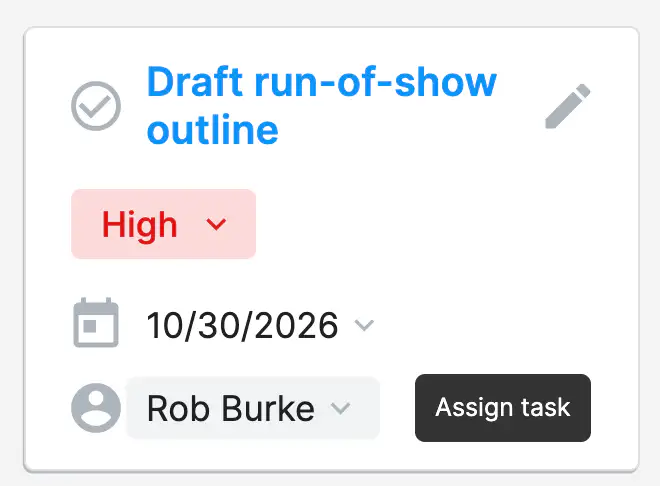
Assign tasks with clear ownership and deadlines.

Create tasks, assign them to team members, set due dates, and add priority levels. Tasks surface on each person's Action Board so nothing gets buried in email.
Desktop mockup of DonorDock
CRM CONNECTED to-dos

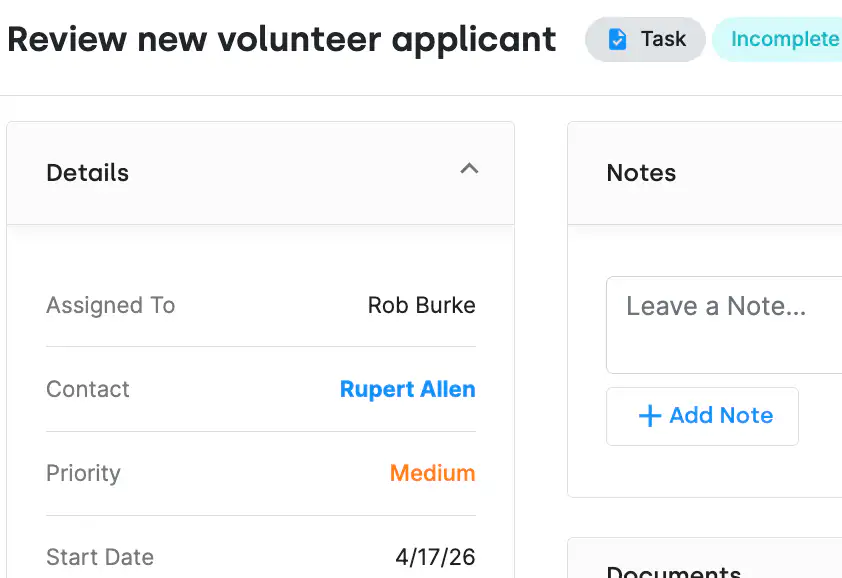
Link projects directly to donors and campaigns.

Unlike standalone project tools, DonorDock connects your projects to donor records, campaigns, and giving data. Your gala planning board knows who your top donors are.
Desktop mockup of DonorDock
THE SHIFT

From scattered tasks to a single source of truth.

Old way

Disconnected Project Tools

  • Campaign tasks in one app, donor data in another
  • No visibility into who is working on what
  • Deadlines missed because reminders live in someone's inbox
  • Status updates require a meeting instead of a glance
VS
New way

With DonorDock

  • Project boards connected to your donor records
  • Tasks assigned with owners, due dates, and priorities
  • Drag-and-drop boards show status at a glance
  • Every project connects back to your fundraising goals
Customer success story
CUSTOMER SPOTLIGHT

From Overwhelmed to Organized: Why This Nonprofit Switched From Salesforce to DonorDock

Southwest West Central Service Cooperative (SWWC) faced challenges with complex donor management systems. By switching from Salesforce to DonorDock, they streamlined operations, eliminated data silos, and grew their donor base with ease. With user-friendly tools and exceptional support, DonorDock became the perfect fit for their small nonprofit.

Read their story →
"DonorDock provides an easy-to-use product that nicely meets the needs of our non-profit"
DonorDock thumbnail
Mark S.
Founder & CTO
DonorDock has made my tasks as an ED actually enjoyable. Knowing that I have DonorDock in my toolkit, it has relieved so much anxiety. It's really helped me stay on top of things that previously fell through the cracks.
DonorDock thumbnail
Les Tilka
Executive Director
"We couldn't have chosen a better company to trust with our nonprofit business."
DonorDock thumbnail
Laura V.
Mom in Chief
"The customer service has always been so helpful and prompt. No question or problem asked has ever been unanswered or unsolved."
Decorative image
LesleyAnne B.
Project Coordinator
"I was able to start managing and tracking my donors almost since day 1."
DonorDock thumbnail
Isaac C.
Director of Operations
As a fundraising consultant working with hundreds of nonprofits, DonorDock is a no-brainer for charities.
Patrick Kirby, DonorDock testimonial
Patrick Kirby
DoGoodBetter Consulting
"Hands down the best donor management system out there."
DonorDock thumbnail
Jen K
Office Manager
"It's so much easier to use than any other donor management system I've tried."
Decorative image
Kelly S.
Executive Director
"I have just moved a second organization to DonorDock because I love it so much."
DonorDock thumbnail
Corinne D.
Small nonprofit
"It's like adding a fundraising teammate!"
Scott Holdman, DonorDock testimonial
Scott Holdman
Consultant

Voted #1 for Growing Nonprofits

G2 Fundraising Easiest to Do Business With badge
G2 Fundraising Best Support badge
G2 Donor Management Easiest Setup badge
G2 Momentum Leader badge
G2 Fundraising Easiest to Use badge
G2 Fundraising Easiest Admin badge
G2 Donor Management Best Meets Requirements badge

Worried about data migration?

Switching to DonorDock is simple

We understand that you wear a lot of hats, so we make your transition to DonorDock easy and uncomplicated. DonorDock was rated #1 Easiest Setup and comes with human support for free.
Integration iconIntegration iconIntegration iconIntegration iconIntegration iconIntegration iconIntegration iconIntegration icon

Get more value from your tools

Connect your tools, connect your teams. With over 100 apps already available in our directory, your team’s favorite tools are just a click away.

Frequently asked questions

Does DonorDock support Kanban-style boards?

Yes. You can drag tasks between columns to track progress visually and customize columns for your own workflow, similar to Trello or Asana.

Last updated
February 25, 2026
How does project management connect to the CRM?

Tasks and boards sync with donor records, campaigns, and interactions. When you complete a task or log activity, it shows up in the donor’s timeline automatically.

Last updated
February 25, 2026
Can DonorDock replace Trello, Asana, or ClickUp for small teams?

Yes. DonorDock provides project boards, ask boards, action boards, tasks, reminders, automations, and calendars all tightly connected to the CRM, giving you a unified system for donor work and internal fundraising projects.

For many nonprofits, DonorDock can replace separate project management tools like Trello, Asana, or ClickUp.

Last updated
February 25, 2026
Can I assign tasks to other team members?

Yes! You can assign tasks to anyone on your team and track progress, due dates, and completion.

Last updated
February 25, 2026
Can I track campaign tasks or fundraising activities?

Yes. You can create a board for each campaign and manage outreach, milestones, deadlines, and reporting tasks all in one place.


Last updated
February 25, 2026

You'll believe it when you see it.

Schedule a demo and see why 7,200+ people trust DonorDock for their CRM.
We use cookies to make your experience better. Learn more about how and why.