






We use cookies to make your experience better. Learn more about how and why.

Raise more funds

with beautiful donation pages & forms

DonorDock online giving decorative shapes
A woman with blond hair and glasses looking at a woman with dark curly hair who is holding a report from their nonprofit online giving page results
Image that shows donations received through an DonorDock online giving page. Top image says Total contributions : $12,750.00; next says donation received $2500, Donation Received $7500, etc.
DonorDock online giving decorative shapes
A woman with blond hair and glasses looking at a woman with dark curly hair who is holding a report from their nonprofit online giving page results
Image that shows donations received through an DonorDock online giving page. Top image says Total contributions : $12,750.00; next says donation received $2500, Donation Received $7500, etc.

Accept donations online

Shape Square 25
Design beautiful pages that fit with your branding
Shape Square 25
Start accepting donations in minutes with easy setup
Shape Square 25
Fully embeddable for seamless giving
Shape Square 25
Create unlimited giving pages for your specific campaigns, appeals, and events.
Shape Square 25
Design beautiful pages that fit with your branding
Shape Square 25
Create unlimited giving pages for your specific campaigns, appeals, and events.
Shape Square 25
Start accepting donations in minutes with easy setup
Shape Square 25
Fully embeddable for seamless giving
Book Your Demo

Voted #1 Easiest to Use...on more than one occasion

G2 Easiest to Use badge, Spring 2025
G2 Easiest to Use badge, Fall 2025
G2 Easiest to Use badge, Spring 2026
G2 Easiest to Use badge, Winter 2026
G2 Easiest to Use badge, Summer 2025
DonorDock timeline circle illustration

Fully customizable giving pages and campaigns

Square icon
Create an unlimited number of pages
Create one giving page for all your donations, or create individual pages for different campaigns, appeals, funds, memberships, or events.
Square icon
Customizable designs
Change colors and fonts; add images and GIFs with an easy-to-use drag and drop system.
Square icon
Campaign goal thermometer
A visual indicator of your campaign goals built directly into online giving pages that automatically updates.
Square icon
Redirect donors after a donation
After giving a gift, send donors to a page on your website or use a built-in thank you screen.
DonorDock timeline circle illustration

Share giving pages

Online giving link image yellow box with a chain link
Custom link
Create custom links that are easy to share with your donors and contacts.
online giving embed link yellow box with </> in the middle
Embed into your website
Build trust with your donors by embedding donation forms directly into your website.
online giving text image yellow box with a text conversation box with three dots
Text-to-donate
Automatically send a link to your donation pages, when donors text your DonorDock phone number.
Online giving QR code image which is a yellow box with a QR code in it
QR code
Simplify your donors' giving by letting them scan-to-donate.
DonorDock timeline circle illustration

Catered to your donors’ giving style

Accept credit cards, Stripe, PayPal and more
DonorDock timeline circle illustration

Tailored to your nonprofit’s needs

Square icon
Accept
• One-time gifts
• Recurring gifts with customizable frequency options
• Membership payments
• Sponsorships
• Simple ticket sales
• Pledges
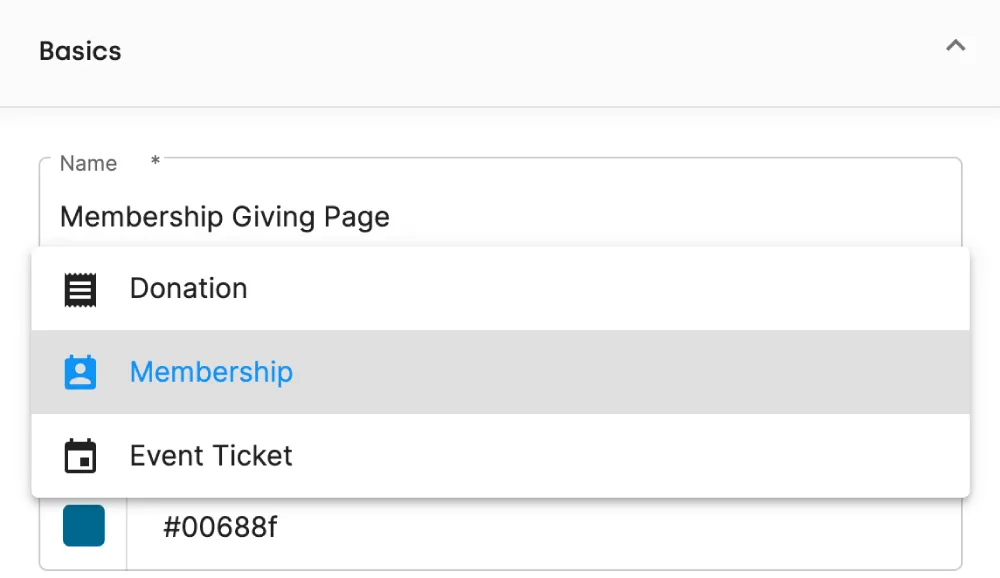
Features as part of an online giving page. You can set between making your page a donation form, membership page or event ticket page.
Square icon
Allow honorarium, memorial, and anonymous donations
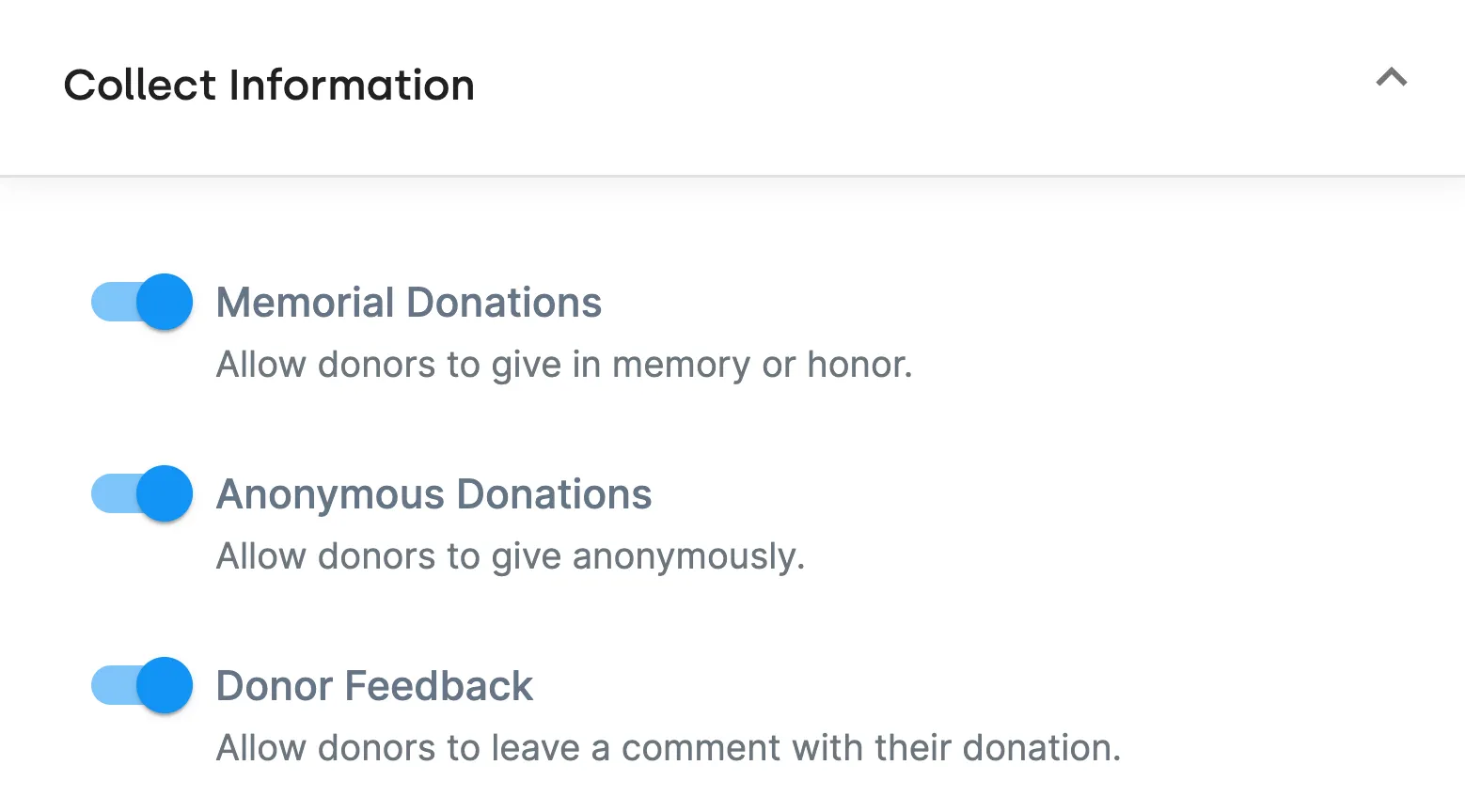
Donors can give their gift in honor or memory of someone else or remain completely anonymous
Shows a portion of a DonorDock online giving page donation form. Allows you to click a slider bar to accept memorial donations, anonymous donations, donor feedback comments.
Square icon
Stripe & Paypal
Accept gifts directly into your Stripe account or PayPal accounts and track them automatically in DonorDock.

A simple 1% platform fee is added for online donations made through a DonorDock giving page to enable DonorDock to continue updating and adding to the platform.
An image from DonorDock online giving pages back end. It says Payment Methods at the top and then shows the stripe logo and has a slider bar for enable Stripe. Below that is the PayPal logo with a slider bar that says enable PayPal
DonorDock timeline circle illustration

Take tasks off your plate

DonorDock online giving card illustration
Funds are deposited immediately into your Stripe or PayPal account
DonorDock online giving data illustration
All your data under one roof
  • Track donations in real-time
  • Automatically assign donations to a campaign, fund, or appeal
  • Linked directly to a donor’s record
  • Automatically create profiles for new donors
DonorDock online giving mail illustration
Automate sending custom receipts and thank you notes after receiving a donation
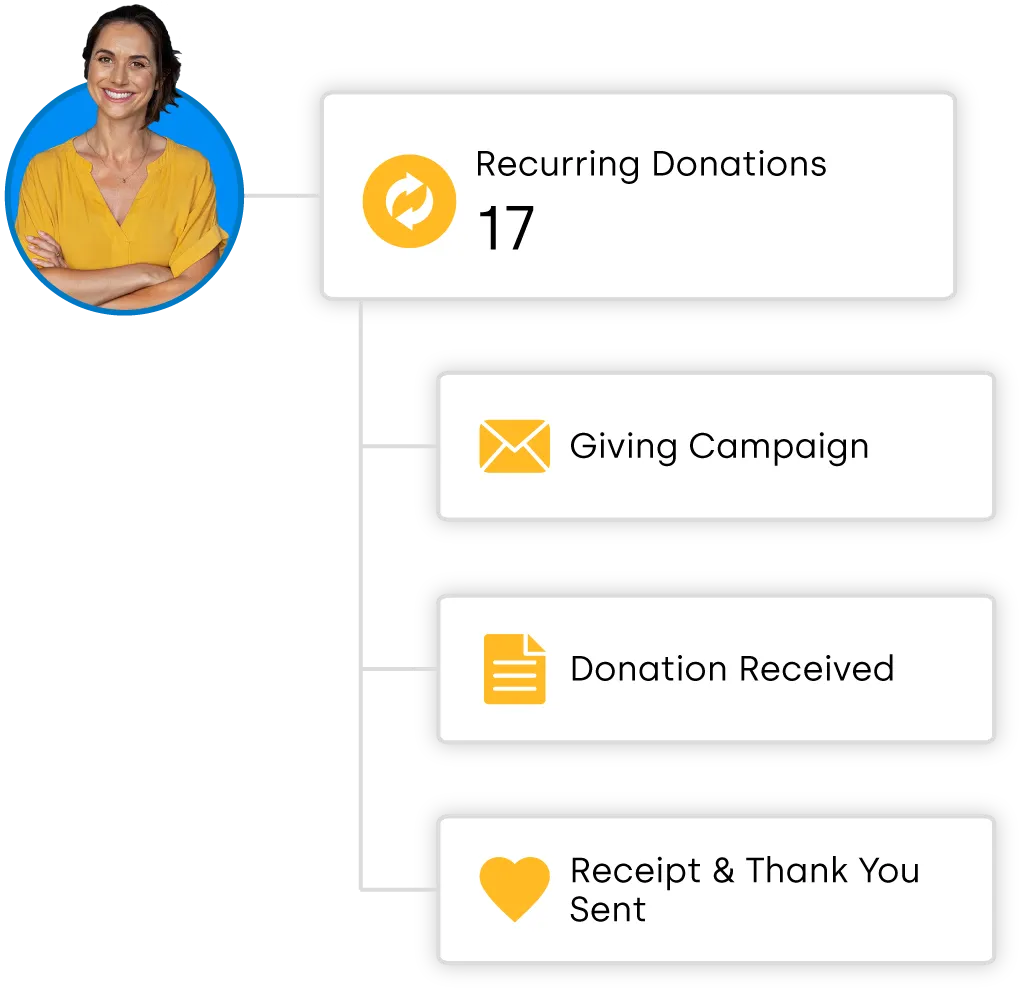
Task platform image with a woman in yellow with dark hair up in the corner. Shows information about recurring donations: 17. Online Giving campaign, Donations received, receipt and thank yous sent
DonorDock timeline circle illustration

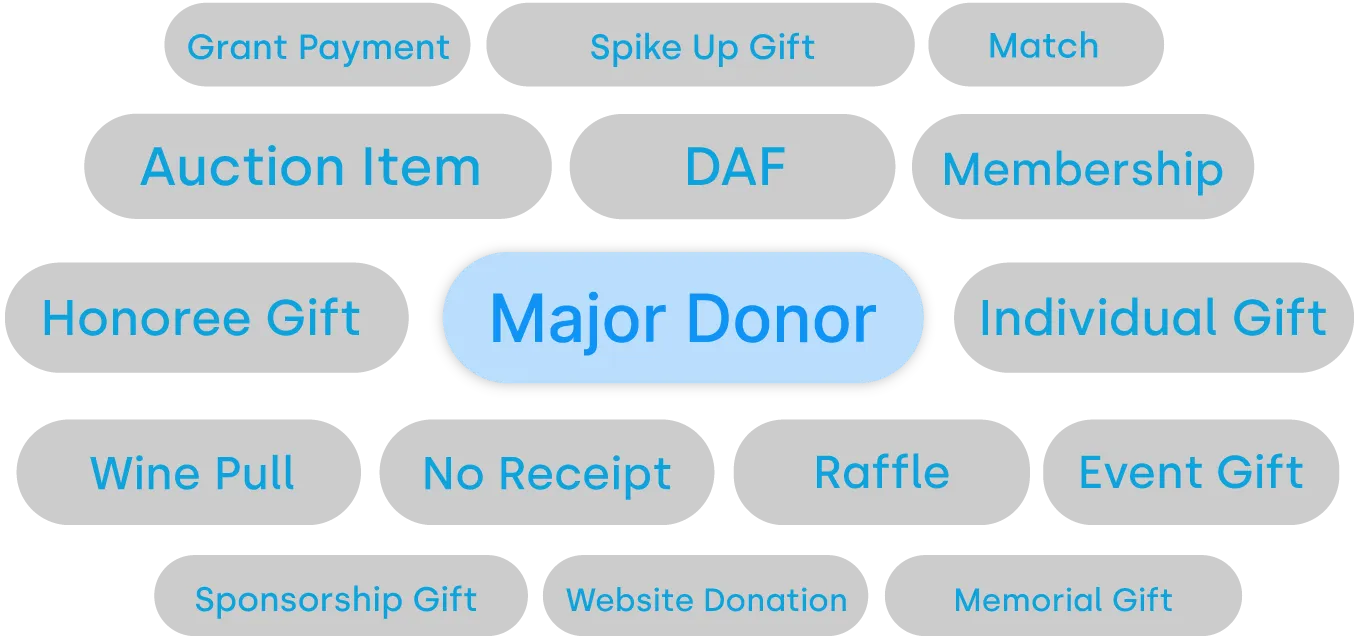
Tag your gifts with ease

Square icon
Easily sort and filter gifts with unlimited tags
Square icon
Quickly build the custom reports you need
Square icon
Get insight into your donations with gift tags
Otto mascot ink splat illustration
Otto-tag from any Giving Page
Donation segmentation through gift tags. Shows grey badge items that say grant payment, spike up gift, match, auction item, DAF, Membership, Honoree Gift, individual gift, wine pull, website donation, memorial gift, sponsorship gift. The center gift says Major Donor and is highlighted blue.
DonorDock timeline circle illustration

Seamless integrations

Square icon
Native integrations
Otto mascot with OneCause integrationOtto mascot with GoFundMe Pro integrationFundraise Up logo
Square icon
Integrate to 1,000's of apps via Zapier
Unseen
United Way
Ronald McDonald House Charities
Hubbs Seaworld Research Institute
Habitat for Humanity
Friends of the Children

Voted #1 for Growing Nonprofits

G2 Fundraising Easiest to Do Business With badge
G2 Fundraising Best Support badge
G2 Donor Management Easiest Setup badge
G2 Momentum Leader badge
G2 Fundraising Easiest to Use badge
G2 Fundraising Easiest Admin badge
G2 Donor Management Best Meets Requirements badge

Build meaningful connections with Donor Outreach

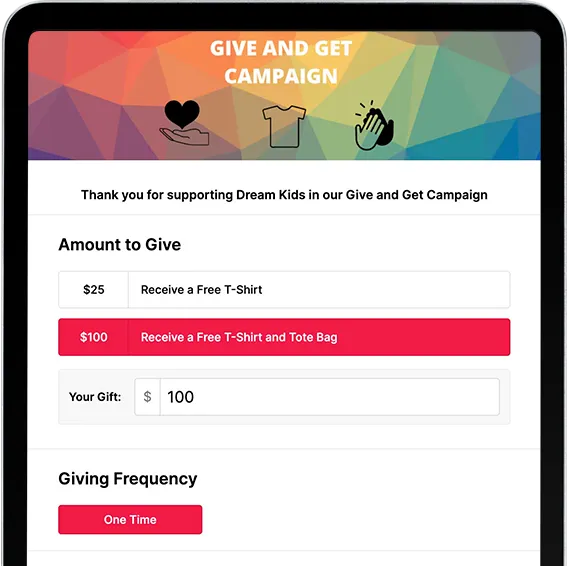
PlatformCTA OnlineGivingTablet cropped

Frequently asked questions

Are donation pages secure?

Yes. All giving pages use encrypted connections and secure payment processing to protect donor information. DonorDock is SOC II certified and maintains strict security for all information given.

Last updated
February 25, 2026
Are the online giving pages compatible with our website?

Yes. DonorDock donation pages are fully compatible with any website and can be embedded as in-page forms or used as standalone pages with their own URL. Linking Online Giving pages to your website doesn't require special technical skills. During onboarding, we'll share resources and help you get giving connected to your site quickly.

Last updated
February 25, 2026
Are there platform fees for gifts processed through DonorDock Online Giving?

Yes. DonorDock charges a 1% platform fee on gifts processed through Online Giving pages, plus the standard payment processing fees from Stripe or PayPal (typically 2.2% + $0.30 for nonprofits). There are no hidden fees and no additional charges on top of your DonorDock subscription. The 1% platform fee helps DonorDock continue building and improving tools purpose-built for nonprofit fundraisers.

Last updated
February 25, 2026
Can DonorDock send thank-you emails automatically?

Yes. Online donors automatically receive a tax receipt and thank-you message immediately after giving. You can customize these messages and set up additional follow-up emails to deepen relationships. It's all automatic once you configure it.

Last updated
February 25, 2026
Can I create a fundraising page for a specific campaign?

Yes! You can create campaign pages with unique URLs, track results separately, and report on campaign performance in DonorDock.

Last updated
February 25, 2026
Can I customize suggested giving amounts?

Yes! You can set suggested amounts, add descriptions, and highlight an impact statement for each amount on your giving pages.

Last updated
February 25, 2026
Can I customize the receipt or thank-you message?

Yes. You can edit the thank-you message, receipt, and include personalized details. You can also send automated or manual follow-ups using Outreach or workflows in the platform.

Last updated
February 25, 2026
Can I run multiple campaigns at once?

Yes. You can manage several active campaigns at the same time and track each one individually, tie each to different giving pages, appeals, pledges, and funds.

Last updated
February 25, 2026
Do donors receive a tax receipt automatically?

Yes. You can send an automatic tax-deductible receipt immediately after a donation is completed.

Last updated
April 17, 2026
Does DonorDock support DAF (Donor-Advised Fund) gifts?

Yes! Your giving page can include DAFpay for easy donation through Donor Advised Funds. You can track DAF donations in your CRM like any other gift and easily add soft credits to attribute the donors to the gift so you can steward them well.

Last updated
February 25, 2026
How does the integration with Stripe and PayPal work?

DonorDock Online Giving pages connect directly with Stripe and PayPal to process gifts, and each donation is automatically recorded in your DonorDock account in real time. When a gift comes in, it appears in both your payment processor account and your DonorDock donor record instantly. During onboarding, we can also walk you through importing past gifts from Stripe or PayPal so your giving history is complete from day one.

Last updated
February 25, 2026
How fast do funds reach our bank account?

Payout times depend on your connected processor (Paypal, or Stripe), but most nonprofits receive deposits within two to three business days.

Last updated
February 25, 2026
Is DonorDock setup for nonprofits to be able to manage earned income through it?

Yes. DonorDock supports earned income models alongside traditional donations, so you can charge membership fees, run paid programs, sell merchandise, or offer subscription services all from the same platform.

DonorDock handles payments, tracks contacts and their transaction history, automates communications, and integrates with your bookkeeping and other tools, whether the revenue comes from donations or earned income.

Last updated
February 25, 2026
What payment methods can donors use?

Donors can give using all major credit cards, debit cards, ACH, Apple Pay, Cash App, Google Pay, DAFpay, depending on your payment processor setup

Last updated
February 25, 2026
What payment processors does DonorDock support for online giving?

DonorDock supports Stripe and PayPal for online giving with built-in integrations for both processors. Online gifts processed through Square can also be accepted via a Zapier integration between DonorDock and Square.

Last updated
February 25, 2026
What types of donation pages can I create with DonorDock?

You can create branded donation pages for general giving, campaigns, events, recurring giving, and memberships. Each page is customizable and mobile friendly and can be fully embeded or used with it's own URL as a standalone page.


Last updated
February 25, 2026