We use cookies to make your experience better. Learn more about how and why.

Streamlined donor management

Ease your mental load with an efficient all-in-one nonprofit CRM
A young adult who has brown hair and a bit of a beard. He's wearing a blue and green plaid shirt and has a big smile. His background is a blue circle. He represents your Nonprofit CRM + donor management hero!
DonorDock management hero decorative circles

Manage contacts

DonorDock contacts management illustration
Unlimited contacts -That’s right! You’ll never pay more for additional contacts
DonorDock management list illustration
Organize your contacts into lists and segments for marketing, fundraising, or tracking purposes
DonorDock tag management illustration
Create tags to keep volunteers organized, track volunteer hours, and send emails to volunteers
DonorDock member card illustration
Track and manage memberships and easily communicate with members

Save time with Automations

DonorDock automations
Get more done with uncomplicated automations that connect your CRM, Outreach, and online giving in one platform.
DonorDock automations
Trigger an automation based on events like new contact, first time donation, or anniversary.
DonorDock automation filters
Filter each step to specific segments to personalize your automations to the right people.

Fundraising Assistant built-in with Otto

Otto mascot juggling tasks illustration
Otto AI Outreach daily five illustration
Daily 5 Suggestions: Recommendations for donors to connect with based on your data, plus reminders and alerts to ensure you are always up to date.
Otto AI Outreach bell notification illustration
Reminders about key milestones like first gifts, lapsed donors, or birthdays.
Otto AI Outreach tasks illustration
Quickly send emails or complete tasks, all in one place.
Otto AI Outreach support illustration
A fundraising assistant giving you insights and support.

Campaign management

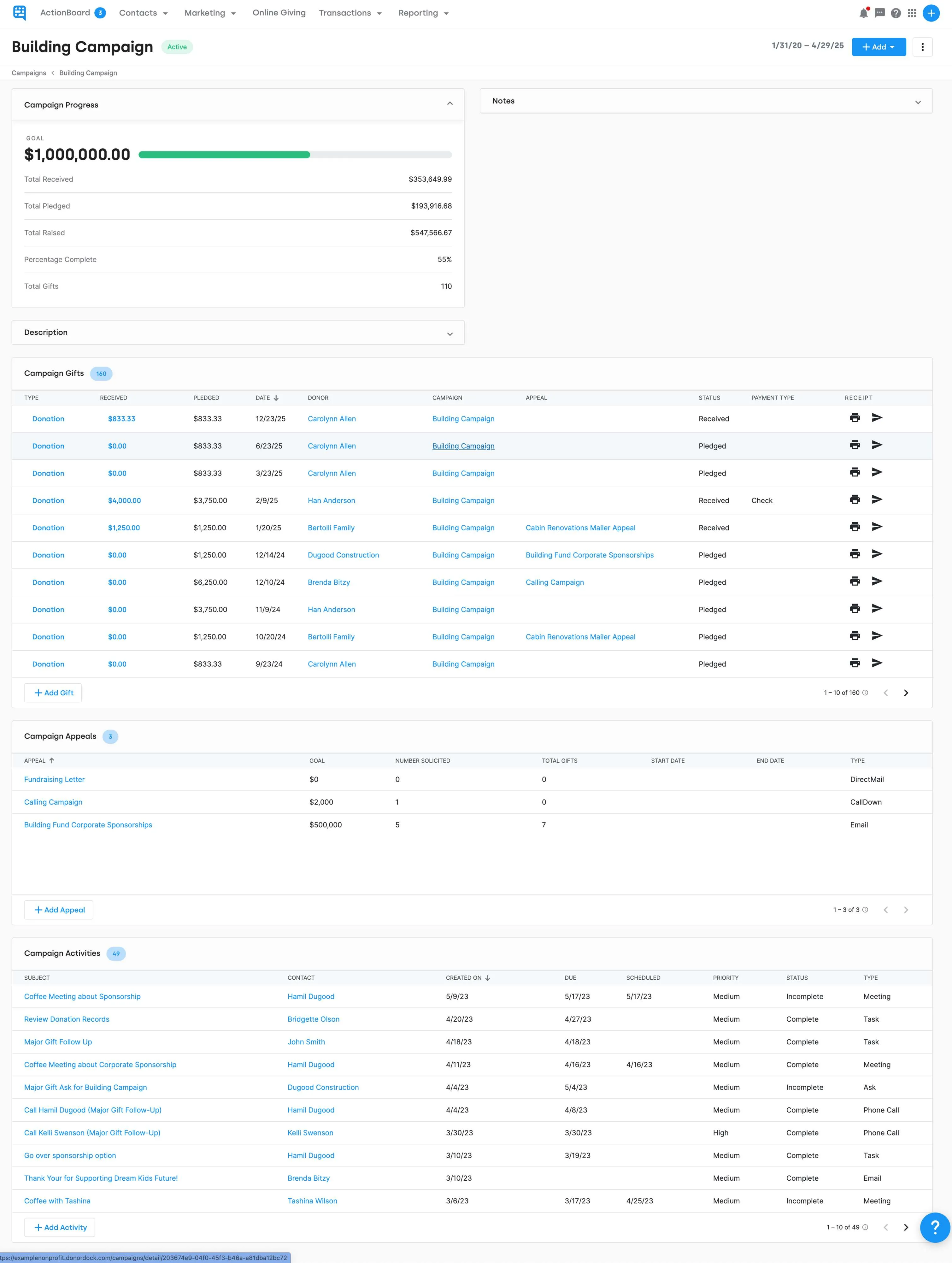
Track and manage campaigns, funds, and appeals to stay connected to your fundraising goals.
DonorDock campaigns management illustration
DonorDock funds management illustration
DonorDock appeals management illustration

Campaigns

Manage and track campaigns

Funds

Accept gifts and grants for specific funds through separate giving pages or a drop-down menu

Appeals

Assign an appeal through giving pages, so your data is automatically tracked
Integration iconIntegration iconIntegration iconIntegration iconIntegration iconIntegration iconIntegration iconIntegration icon

Get more value from your tools

Connect your tools, connect your teams. With over 100 apps already available in our directory, your team’s favorite tools are just a click away.

Easy importing and data migration

Circle icon
Quickly add many contacts, gifts, or activities all at once
Circle icon
Easily migrate your data from wherever it’s stored into DonorDock
Circle icon
Continue tracking recurring gifts
Circle icon
Merge contacts that are duplicated
Circle icon
Integrations let your data be immediately imported into DonorDock
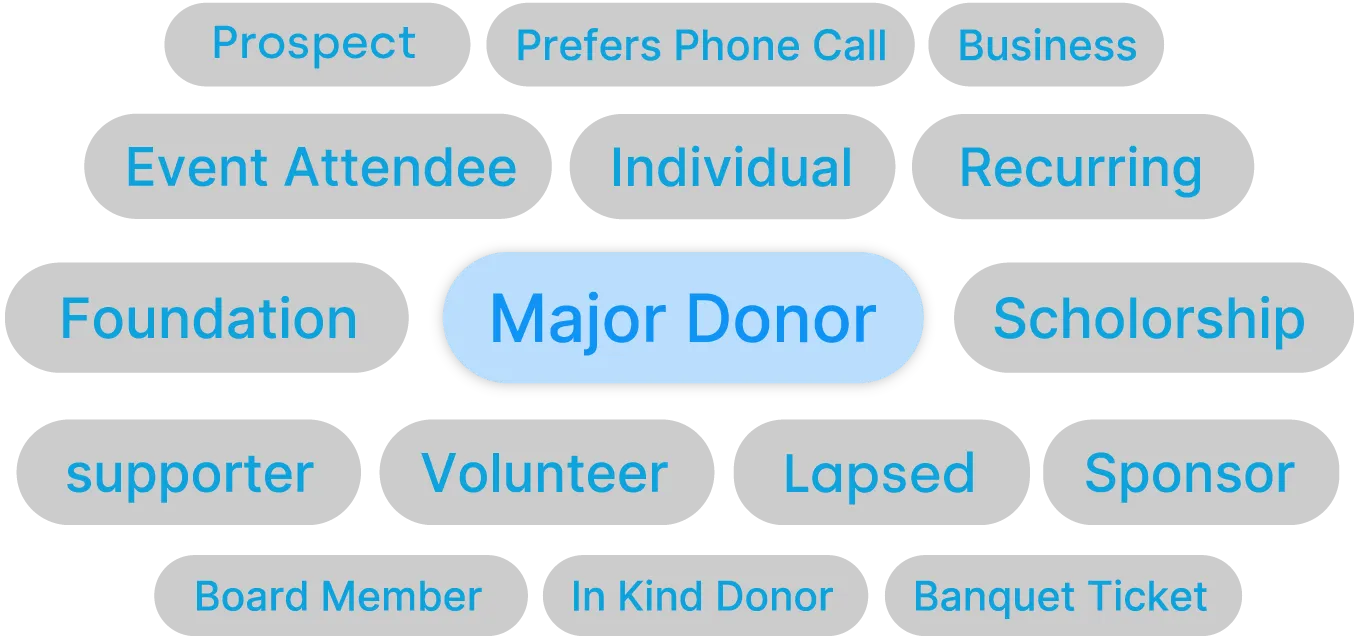
Donor Segmentation badges: shows different options to segment donors with grey badges. Middle badge is highlighted blue and says Major Donor.

Segment donors and gifts

Circle icon
Easily filter and sort contacts with unlimited badges
Circle icon
Quickly build the custom reports you need
Circle icon
Auto badge donors from any Giving Page
Circle icon
Get insight into your donations with gift tags

Custom fields - Capture what matters most, where it matters most

Every nonprofit tracks things differently. DonorDock's custom fields ensure you can easily tailor your donor management system to track the information that matters most to your organization on contacts, gifts, activities, or form responses. Track what matters, where it matters, without workarounds.
Circle icon
Contact Custom Fields: Track long-term information about a donor - volunteer interests, communication preferences, program participation, or internal notes - stored right on the contact record.
Circle icon
Gift & Activity Custom Fields: Capture details specific to a donation (event table assignments, sponsorship benefits) or an activity (follow-up outcomes, volunteer shift types) -- stored on the record where they belong.
Circle icon
Form Response Custom Fields: Collect one-time information through signup forms - meal selections, shirt sizes, survey answers - without cluttering contact records. Responses live on the form submission and flow into reports.
Circle icon
Easy to Manage, Easy to Use: Create, edit, and organize custom fields quickly without any technical expertise. Your team can effortlessly input and access custom information directly within each donor’s profile, streamlining your processes and enhancing your donor stewardship.
Blue Badge that says Soc 2 Type II certified. AICPA SOC

Trusted data security

Rest easy knowing your data is stored in U.S. based servers, accessible only to your organization, and backed up daily.

SOC 2 Type 2 certification means a company has proven it can securely manage and protect its data and systems over time, following strict guidelines to ensure safety and privacy.

Fundraising reports at your fingertips

Easily filter, sort, search, segment, and export all your information to get the reports you need.
An image of DonorDock nonprofit CRM and donor management system's report pages. There are numerous report templates ready to go, but you can also create custom reports tailored to your nonprofit.

Types of reports:

Circle icon
Prebuilt report library
Access to dozens of prebuilt reports to help you make informed decisions
Circle icon
Custom report builder
Create custom reports to fit the needs of your nonprofit
Circle icon
Fundraising dashboard
Access a visual dashboard to keep you up-to-date on your progress
Circle icon
Activity reports
Get reports based on the activities of your team and contacts – including volunteer, fundraising activity, emails, event attendance, grant submission, and more
Circle icon
Contact reports
Custom lists of donors sorted and segmented in the way you need
Circle icon
Membership reports
View a list of members, sort by membership level and more
Circle icon
Campaign reports
See the information you need to track campaign performance
Circle icon
Gift reports
Sort by date, amount, campaign, fund, location and more
Circle icon
Annual giving statements
Automatically generate annual giving statements that can be sent by email or letter

Voted #1 for Growing Nonprofits

G2 Fundraising Easiest to Do Business With badge
G2 Fundraising Best Support badge
G2 Donor Management Easiest Setup badge
G2 Momentum Leader badge
G2 Fundraising Easiest to Use badge
G2 Fundraising Easiest Admin badge
G2 Donor Management Best Meets Requirements badge

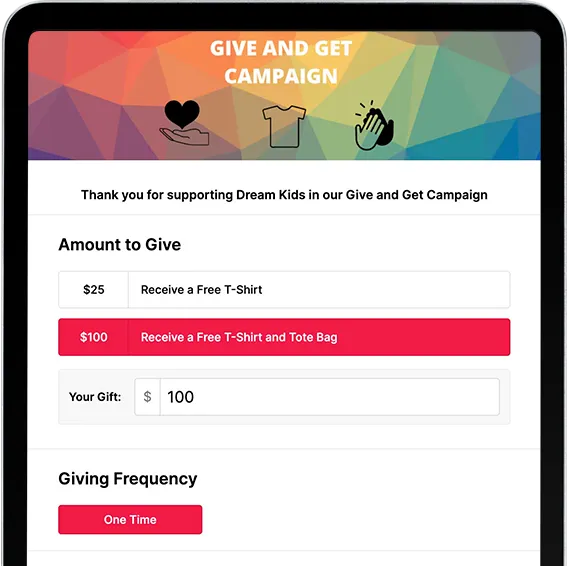
Raise more with Online Giving

Learn more
PlatformCTA OnlineGivingTablet cropped

Frequently asked questions

Can automations remind me to follow up with donors?

Yes. You can automate reminders for stewardship, campaign steps, and engagement milestones based on different triggers with full flexibility for customization.

Last updated
February 25, 2026
Can DonorDock integrate with my website signup form?

Yes. You can add subscribers from your website directly into DonorDock using connected forms or integrations.

Last updated
February 25, 2026
Can I create automated workflows?

Yes. Use task automations, donor journeys, and email tools to build workflows that guide donors from first gift to long-term engagement. Workflows can trigger emails, create tasks, and add or remove tags—giving your team a consistent stewardship system without manual work.

Last updated
April 17, 2026
Can I export all my donor data at any time?

Yes. You can export your donors, gifts, tags, and activity timelines at any time, whether you need your own backups or decide to move to a different system.

Last updated
February 25, 2026
Can I manage pledges in DonorDock?

Yes. Create and track pledges, record payments toward them, and monitor fulfillment over time. The built-in Ask Board gives you a moves management pipeline view to manage major gift asks and track where each prospect is in the cultivation process.

Last updated
April 17, 2026
Can I merge duplicate contacts?

Yes. DonorDock automatically identifies duplicate records and helps you merge them safely. Keeping a clean database means your reports are accurate and you're not contacting the same person twice.

Last updated
February 25, 2026
Can I run reports on donor trends?

Yes. Track engagement, recency, frequency, retention, and giving patterns over time. DonorDock includes 30+ pre-built reports ready to use, and you can create unlimited custom reports tailored to your strategy.

Last updated
February 25, 2026
Can I segment donors in DonorDock?

Yes. Segment donors using filters like giving history, frequency, recency, tags, custom fields, and interests, then use those segments to trigger automations or send targeted emails and texts.

Last updated
April 17, 2026
Can I track both households and individuals?

Yes. Connect individual donor profiles to households and companies, and track giving at both the household and individual levels. Link relationships between contacts, see combined household giving history, and make sure credit is attributed correctly for stewardship and reporting.

Last updated
February 25, 2026
Can I track interactions like meetings, calls, or notes?

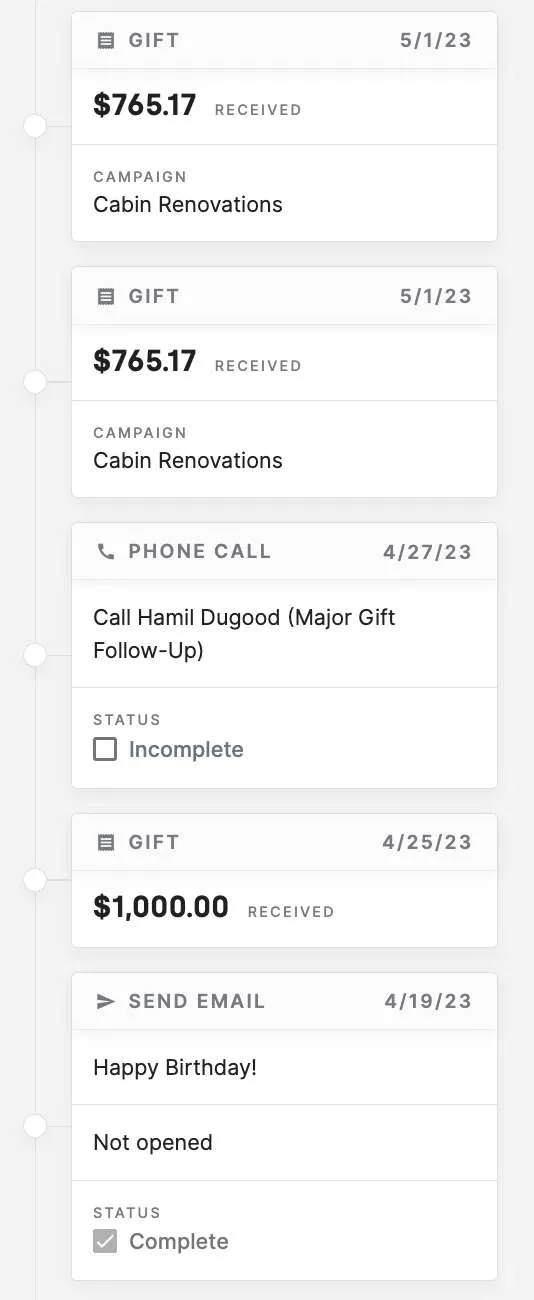
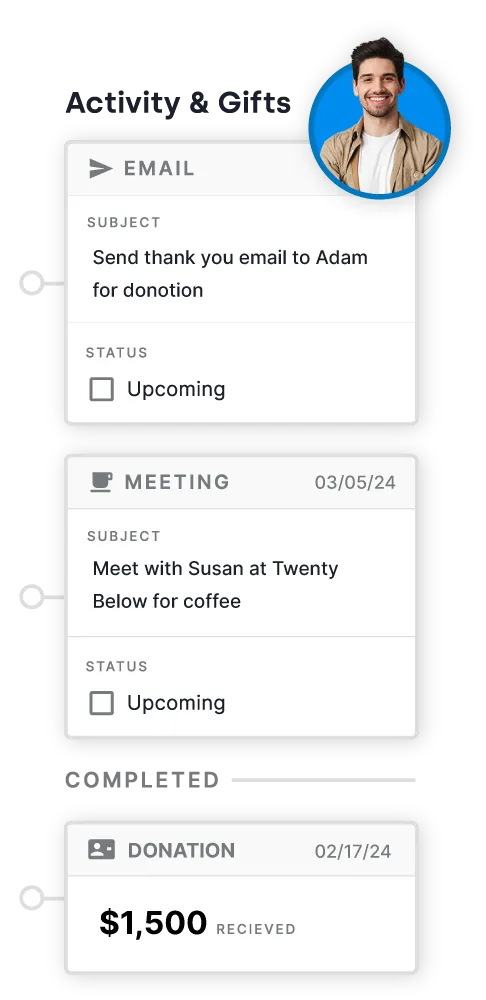
Yes. Log every donor touchpoint in DonorDock, including calls, emails, notes, meetings, and volunteer activity, directly on the donor record. Otto intelligence then uses that activity data to surface the right next steps at the right time, so no follow-up falls through the cracks.

Last updated
February 25, 2026
Can I track recurring donations in the CRM?

Yes. Recurring donations from your online giving pages are automatically tracked and tied to the donor's profile, as well as linked to the designated funds, appeals, and campaigns you've set up. View recurring gift history, monitor active schedules, and manage recurring donors as a distinct segment in your CRM.

Last updated
February 25, 2026
Can I track soft credits or gift attribution?

Yes. Assign gift attribution to the appropriate contact using soft credits and ensure recognition reflects true donor involvement. Whether a gift came through a peer fundraiser, board member solicitation, or matching gift program, soft credits keep your attribution accurate for reporting and stewardship.

Last updated
February 25, 2026
Can I track volunteer activity?

Yes. Record volunteer hours, notes, and interactions in DonorDock just like donor engagement activity, keeping the full relationship visible in one place. If you need robust volunteer scheduling, DonorDock also integrates directly with Point, a dedicated volunteer management platform.

Last updated
February 25, 2026
Can volunteers or board members have limited access?

Yes. Create restricted user accounts for volunteers and board members so they see only the data and tools they need. You stay in control of permissions and can adjust access anytime.

Last updated
February 25, 2026
Does DonorDock support saved or dynamic lists?

Yes. Create saved lists using tags, filters, and dynamic marketing lists that update automatically as your data changes. Tag contacts by interests, campaigns, events, or any grouping your organization uses, then build automations or send targeted outreach directly from those lists.

Last updated
February 25, 2026
Does the CRM integrate with project management features?

Yes. DonorDock has built-in project management features that connect your gifts, campaigns, and contacts directly to tasks, reminders, and activity timelines. This keeps all donor work organized in one place instead of juggling spreadsheets or separate tools.

Last updated
February 25, 2026
Do you have custom fields?

Yes. DonorDock supports custom fields for donor records. You can also add custom fields to donation pages and forms for collecting specific information about your contacts.

Last updated
February 25, 2026
Do you offer event management?

Yes. DonorDock includes basic event tracking like ticket purchases, and has native integrations with best-of-breed event platforms like GoFundMePro and OneCause. This lets you use the best event management tools while keeping donor data unified in DonorDock. Read more about event tracking in DonorDock.

Last updated
February 25, 2026
Do you support volunteer management?

Yes. DonorDock includes tracking for volunteer hours and dates of service right in the platform. If you need more robust scheduling and volunteer management capabilities, DonorDock integrates directly with Point, a dedicated volunteer management system. View all DonorDock integrations.

Last updated
February 25, 2026
How do tasks and reminders connect to donor records?

Tasks and reminders in DonorDock are connected directly to donor records, so every action you take is logged as activity on that contact's timeline. Tie tasks to follow-up workflows, set reminders for key stewardship moments, and always see the full context of your relationship with a donor when you sit down to reach out.

Last updated
February 25, 2026
How is DonorDock different from other nonprofit CRMs?

DonorDock combines unlimited contacts, built-in project management, integrated online giving pages, and AI-powered automation in one platform designed specifically for small and growing nonprofits. Most CRMs charge more as you grow or require expensive add-ons for basic features. DonorDock includes everything from day one—CRM, email, giving pages, automation, and project management—so your team can focus on fundraising instead of managing software.

Last updated
February 25, 2026
What CRM reports come included?

DonorDock includes 30+ pre-built reports like LYBUNT (Last Year But Unfortunately Not This Year), SYBUNT, End of Year Statements, and custom dashboards for giving totals, new donors, retained donors, lapsed donors, average gift size, and campaign performance. You can also create and save unlimited custom reports tailored to your strategy.

Last updated
February 25, 2026
What does DonorDock's CRM do?

DonorDock's CRM stores donor and contact information, tracks gifts, grants, funds, appeals, and campaigns, organizes tasks, and helps you manage relationships—all in one place. It's built for fundraising teams that need a simple, unified donor database without the complexity of enterprise-grade software.

Last updated
February 25, 2026
What information can I store on a donor's profile?

A donor profile in DonorDock can store contact information, full giving history, interactions, notes, tags, custom fields, household relationships, attached documents, and all communication activity in one record. Having everything in one place means you always have the full picture of a donor's relationship with your organization before you reach out.

Last updated
February 25, 2026
What reporting tools does DonorDock include?

DonorDock includes over 30 pre-built reports and real-time dashboards covering total giving, new donors, lapsed donors, retention rates, recurring giving, campaign totals, and donor trends.

Reports update in real time so you can monitor changes as they happen. You can also create unlimited custom reports and save them for repeated use.

Last updated
February 25, 2026
Who is DonorDock's CRM designed for?

DonorDock is designed for small and lean nonprofit fundraising teams that need an easy way to track donors, gifts, and communication without managing multiple tools. Whether you're a one-person development shop or a team wearing many hats, DonorDock fits the way you actually work.
Last updated
February 25, 2026