
We use cookies to make your experience better. Learn more about how and why.

Take Action & Focus
on What Matters
Next

Stay organized, know when to engage, and give every teammate clear next steps, without bouncing between tools.
DonorDock timeline circle illustration

Project Management Inside Your CRM

Circle icon
Where teams plan real work: events, grants, appeal prep, sponsor outreach, year-end, stewardship pushes, and more.
Circle icon
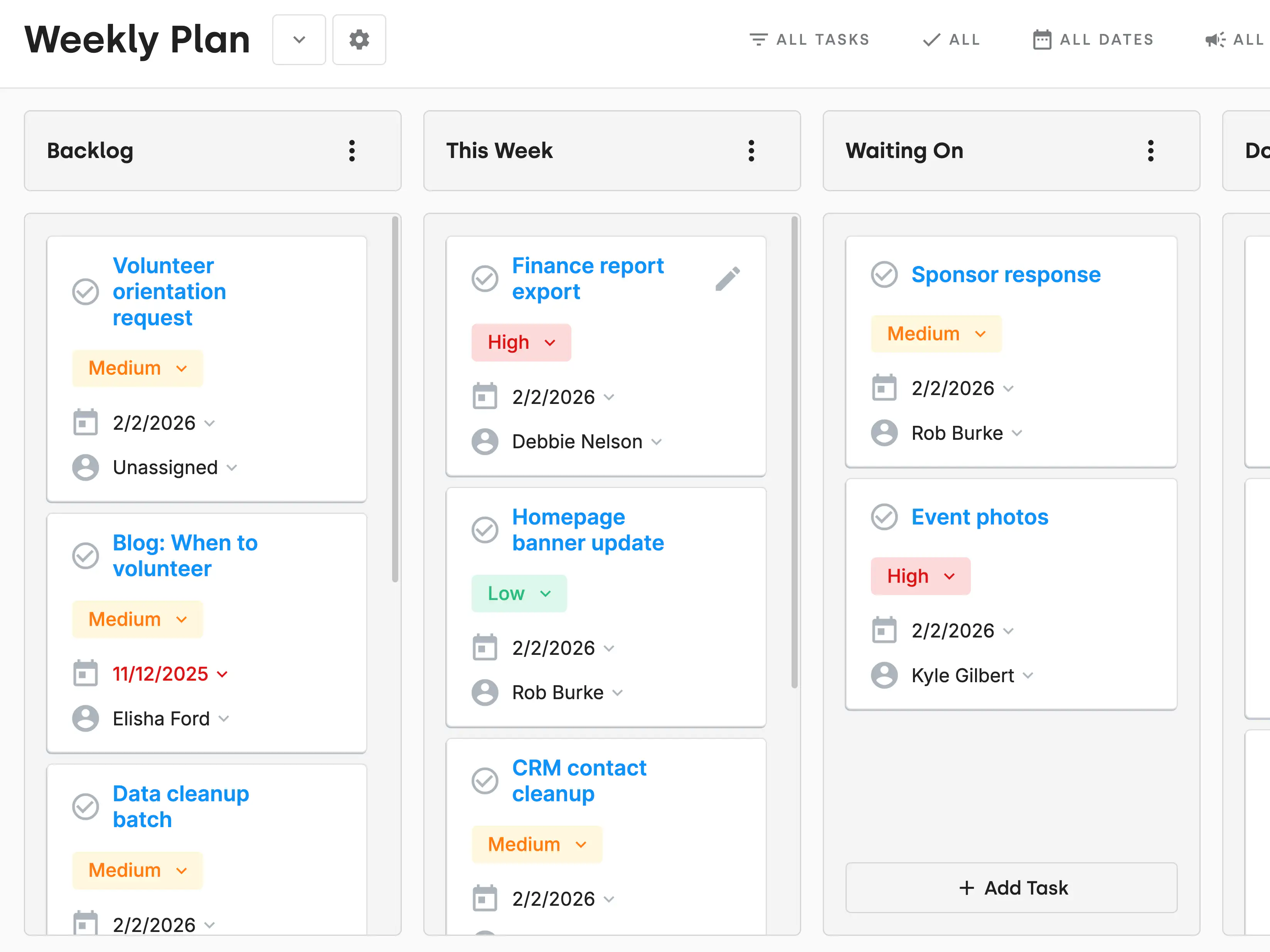
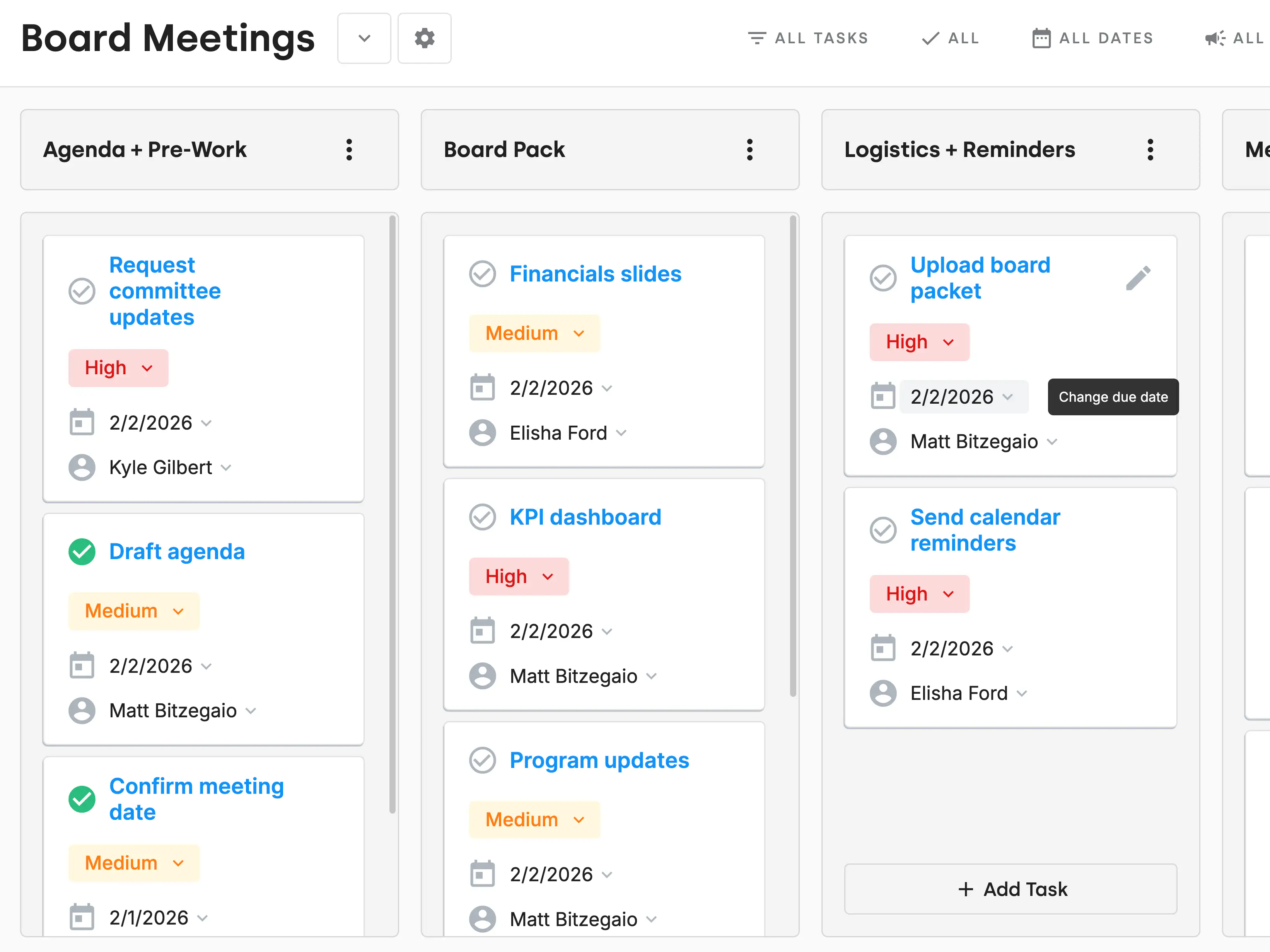
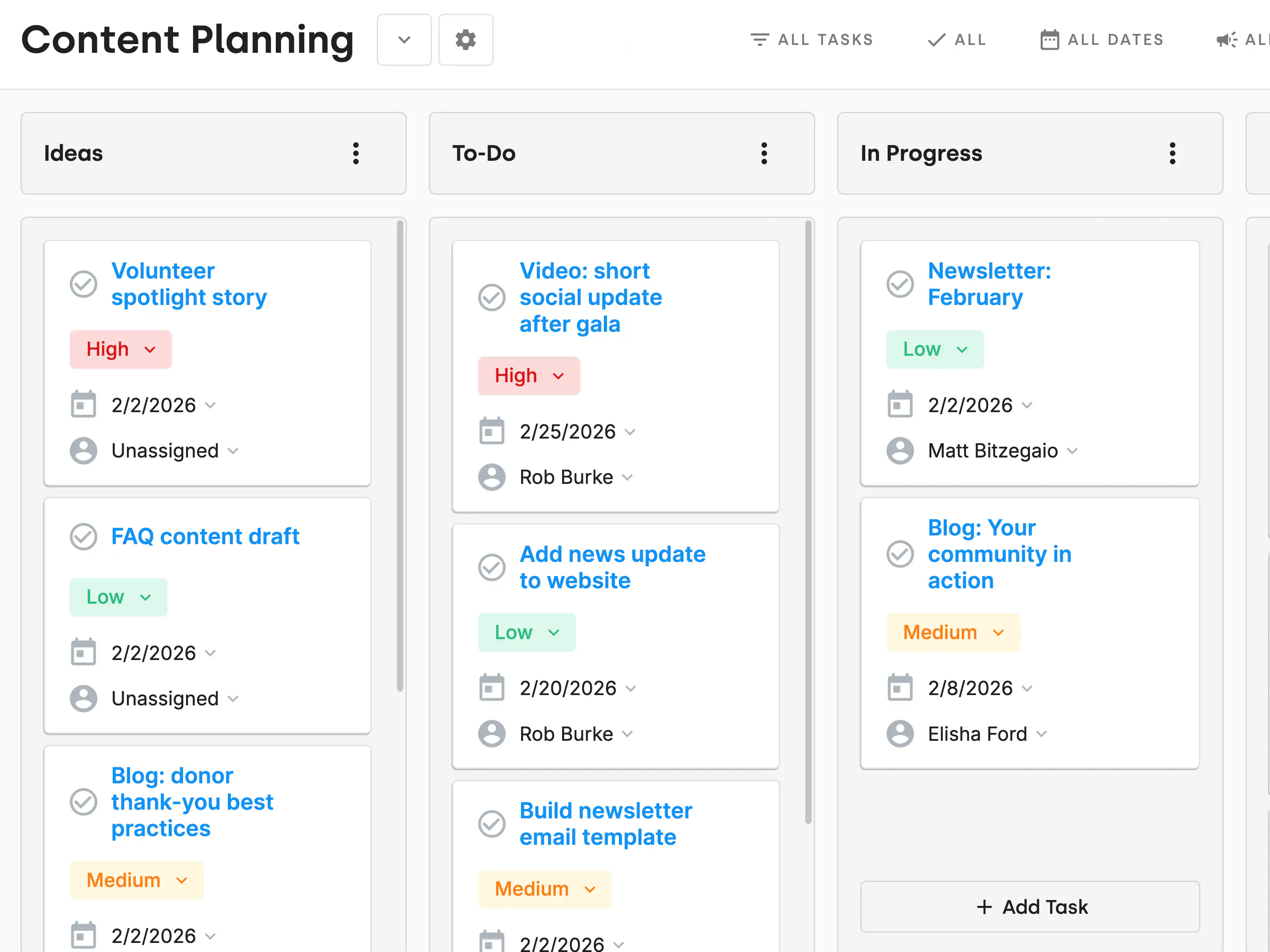
Custom lanes for any workflow like to Do, In Progress, Issues, and Done.
Circle icon
Assign tasks to teammates and they automatically appear on their Action Board.
Circle icon
Tasks tied to campaigns + appeals so every task has context.
DonorDock timeline circle illustration

ActionBoard™ Start Your Day Knowing Exactly What Matters Most

Otto AI icon
Ask Otto gives clear next steps so you’re always building the right relationships.
DonorDock management list illustration
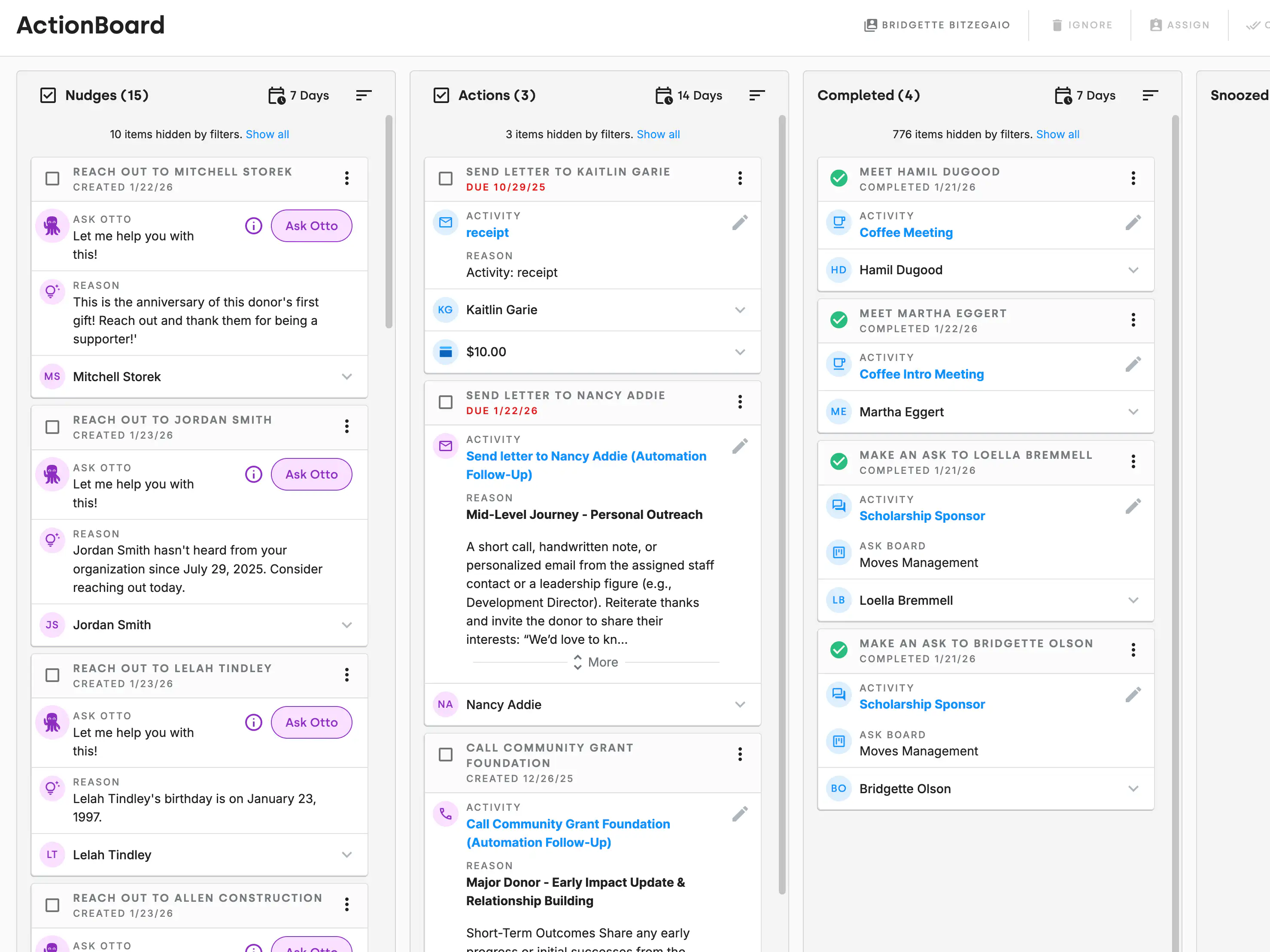
Smart Nudges turn those insights into action, surfacing important moments (like donor anniversaries) so stewardship is consistent.
DonorDock daily management illustration
Easily assign or track tasks for yourself or your team so nothing slips through the cracks.
DonorDock reminders management illustration
Project tasks and asks roll up into each teammate's ActionBoard. No chasing people, no separate task lists to juggle.
DonorDock timeline circle illustration

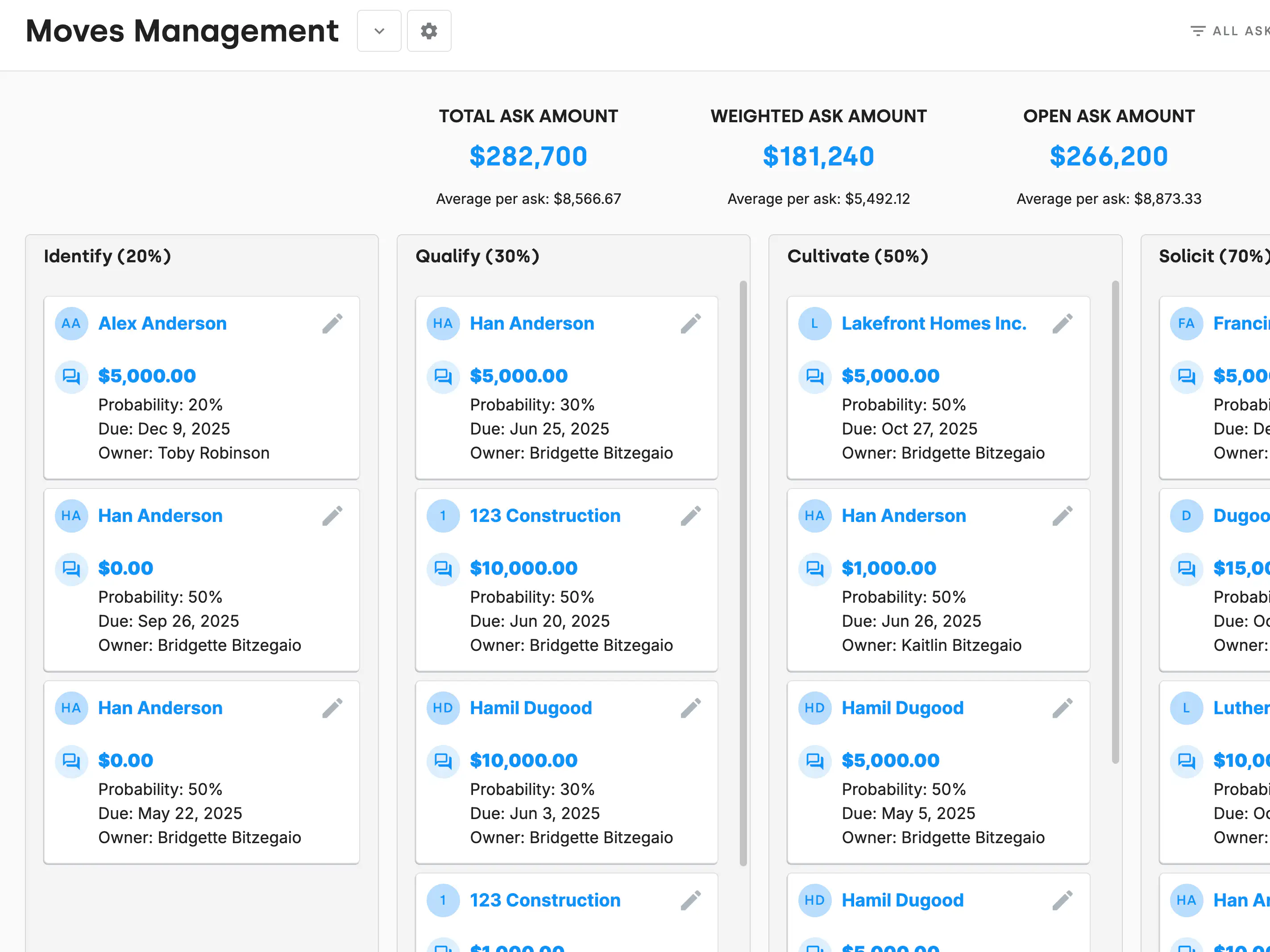
Ask Boards Track your revenue pipelines

Circle icon
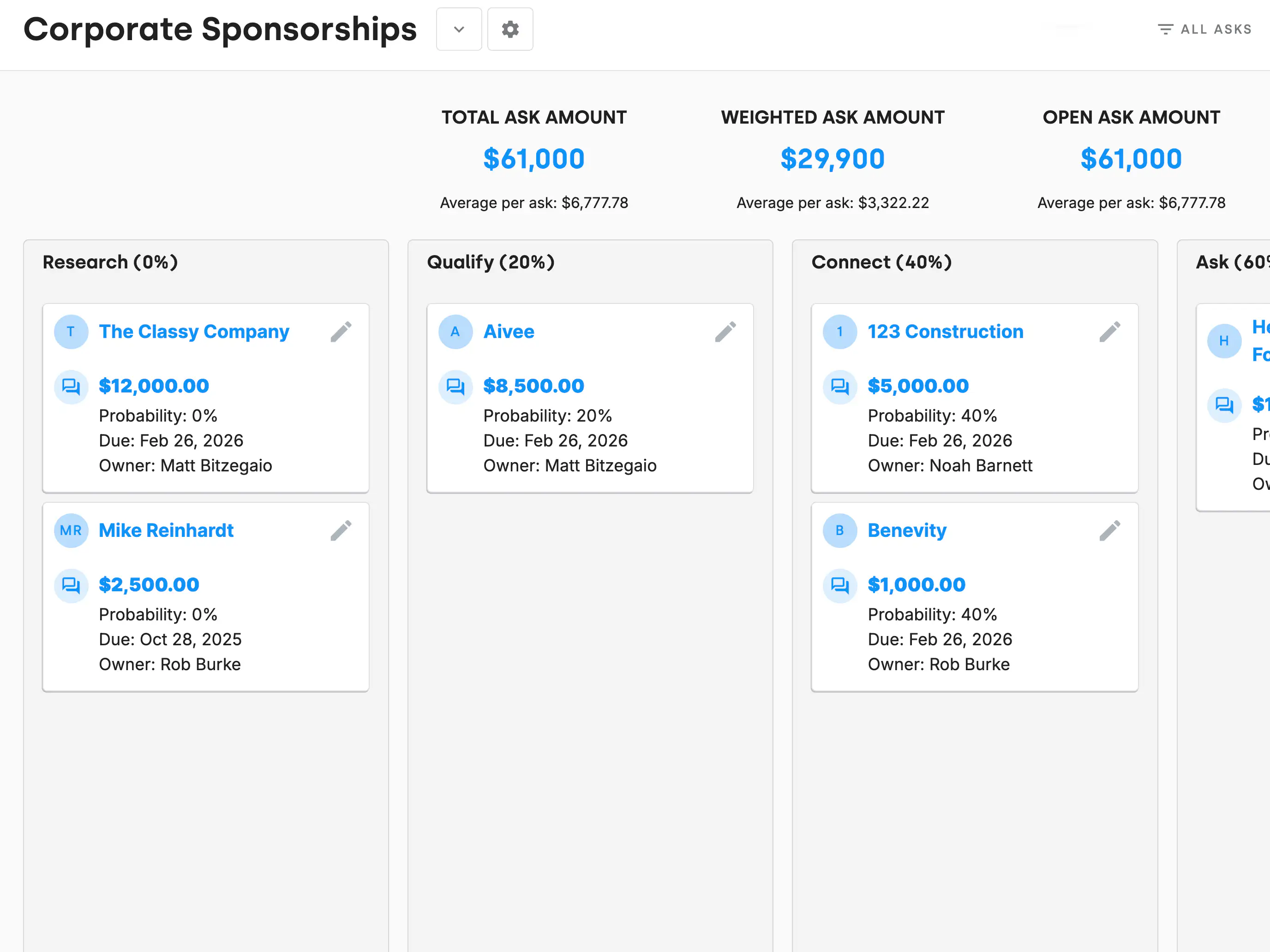
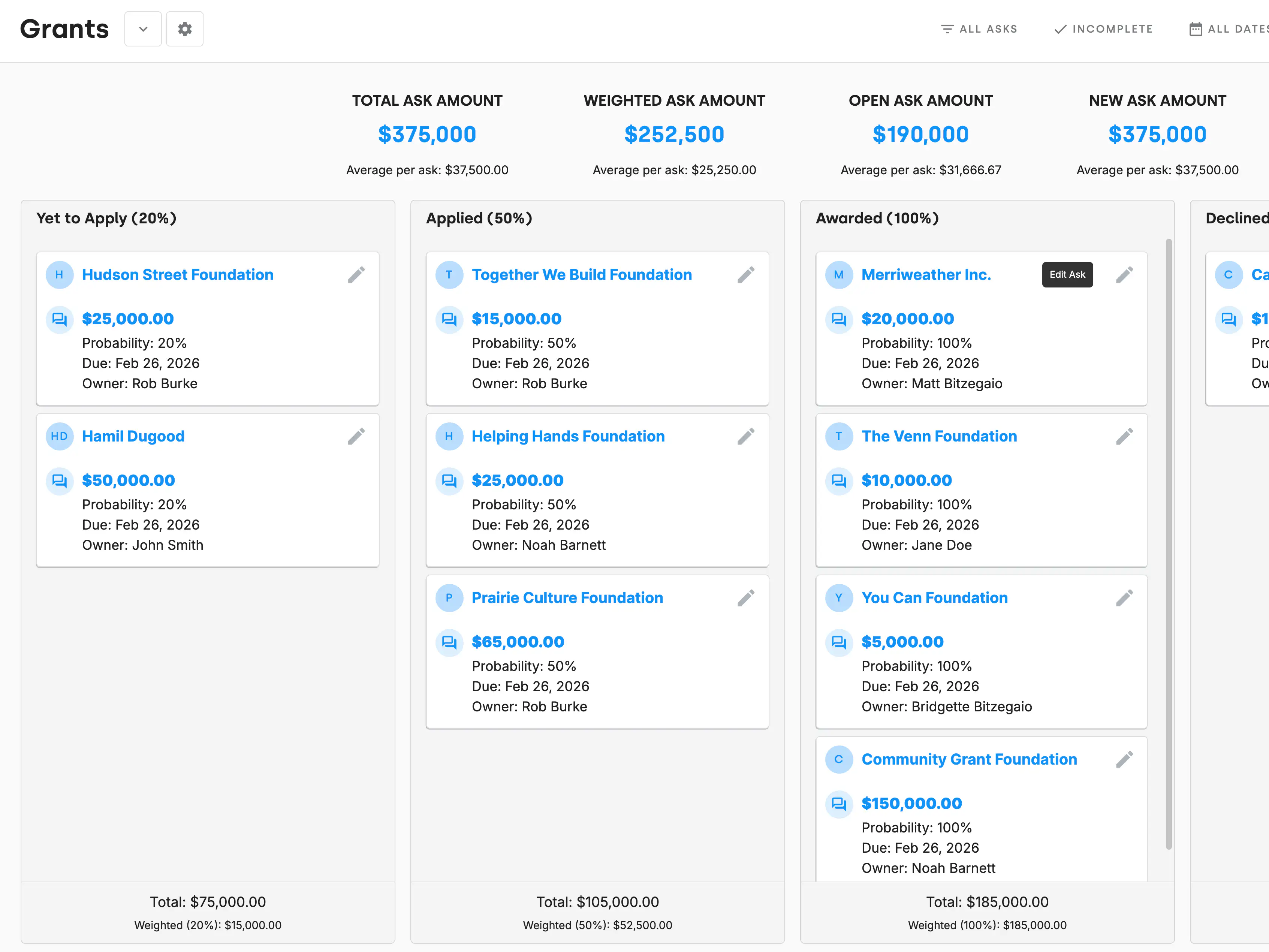
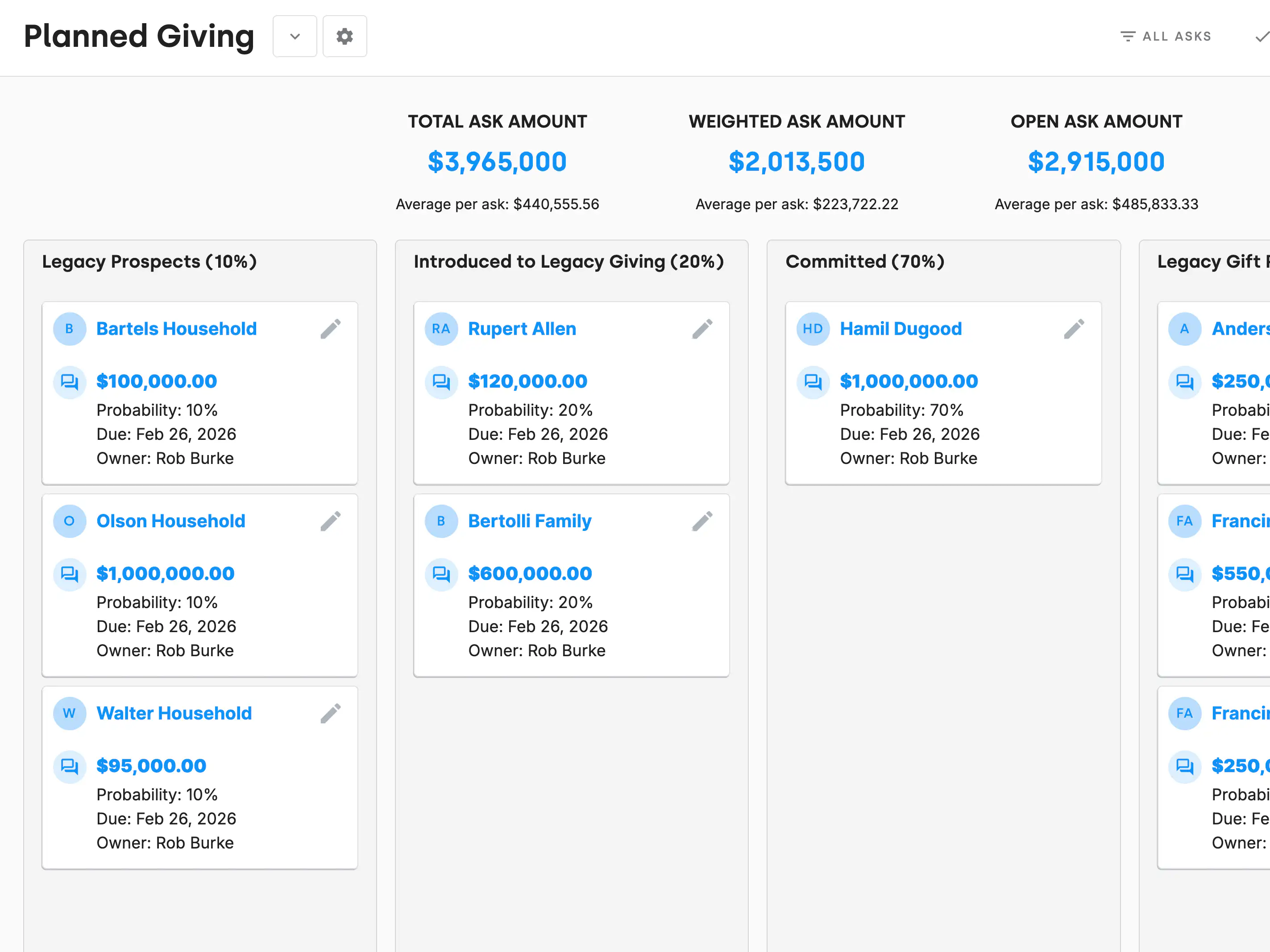
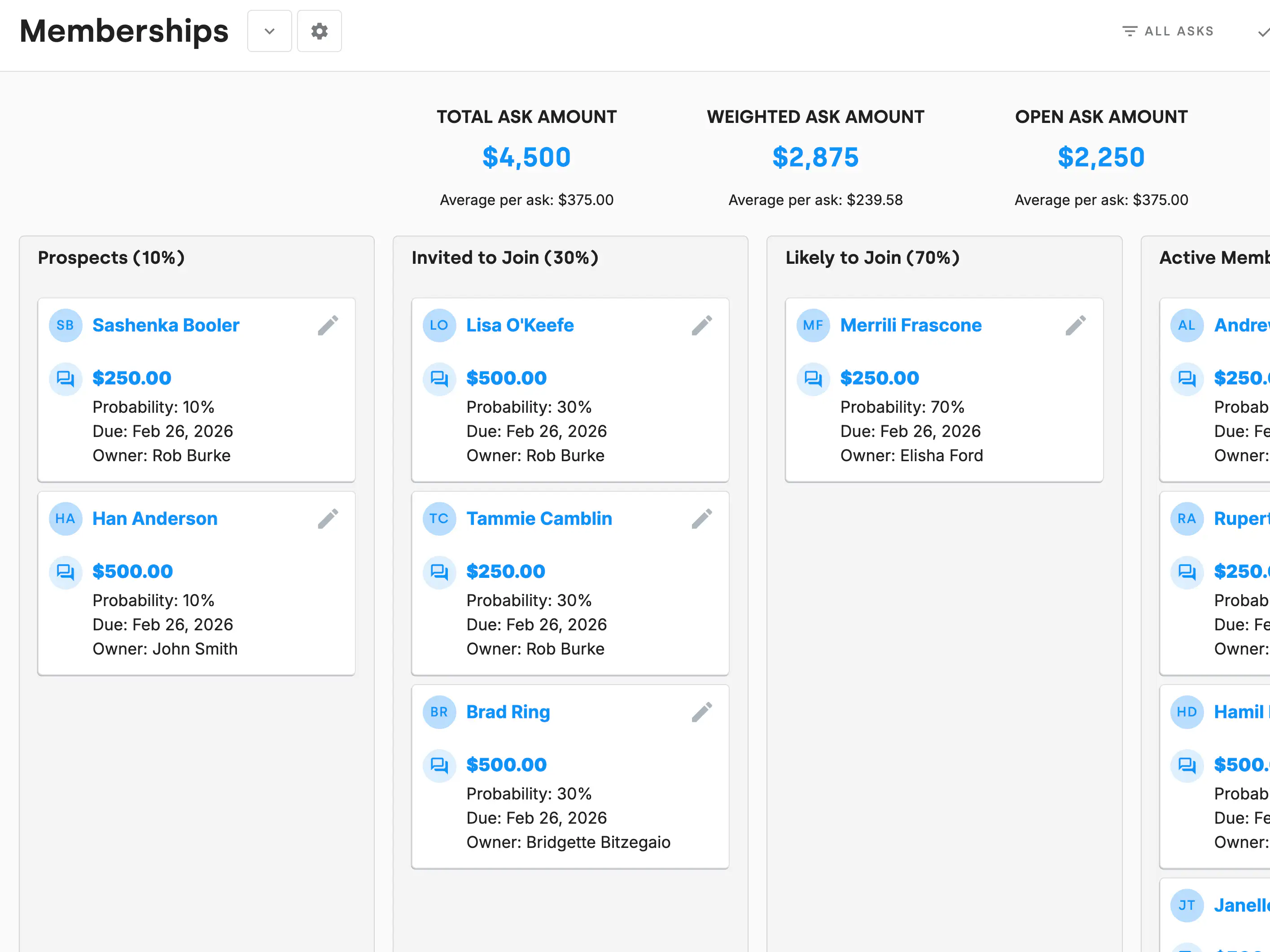
Manage different revenue streams like your major donor asks, grants, corporate sponsorships, memberships, and more.
Circle icon
Track every stage of your asks with customizable lanes and weighted amounts.
Circle icon
View your entire team's asks or just your own.
Circle icon
Designed to help you stay organized, focused, and ready to reach your fundraising goals.
DonorDock timeline circle illustration

Fundraising Assistant built-in with Otto

Otto mascot juggling tasks illustration
Otto AI Outreach daily five illustration
Daily 5 Suggestions: Recommendations for donors to connect with based on your data, plus reminders and alerts to ensure you are always up to date.
Otto AI Outreach bell notification illustration
Reminders about key milestones like first gifts, lapsed donors, or birthdays.
Otto AI Outreach tasks illustration
Quickly send emails or complete tasks, all in one place.
Otto AI Outreach support illustration
A fundraising assistant giving you insights and support.
THE COMPLETE PICTURE

Tasks Tied To Outcomes

One system, not scattered tools

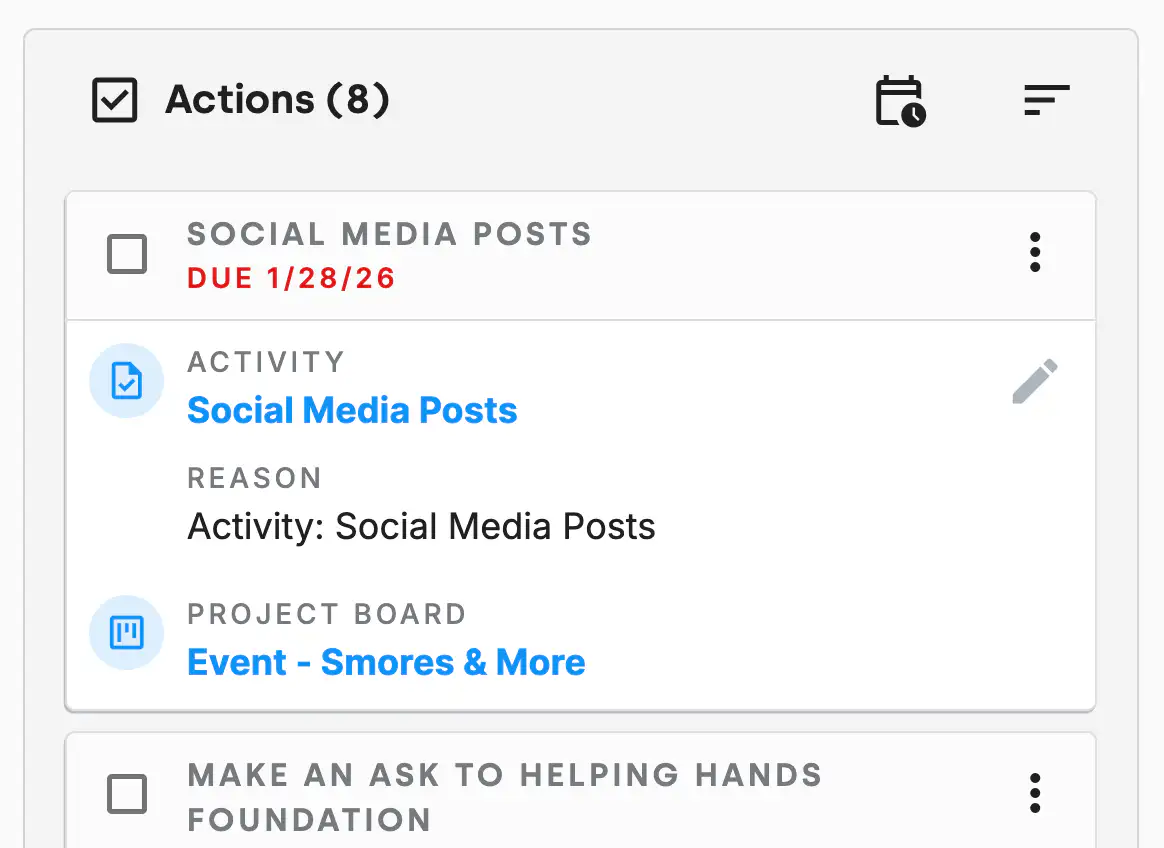
Assigned tasks automatically surface on each team member’s ActionBoard, while still staying connected to the bigger project or campaign.

DonorDock ActionBoard showing project action
Tie work directly to the dollars it supports

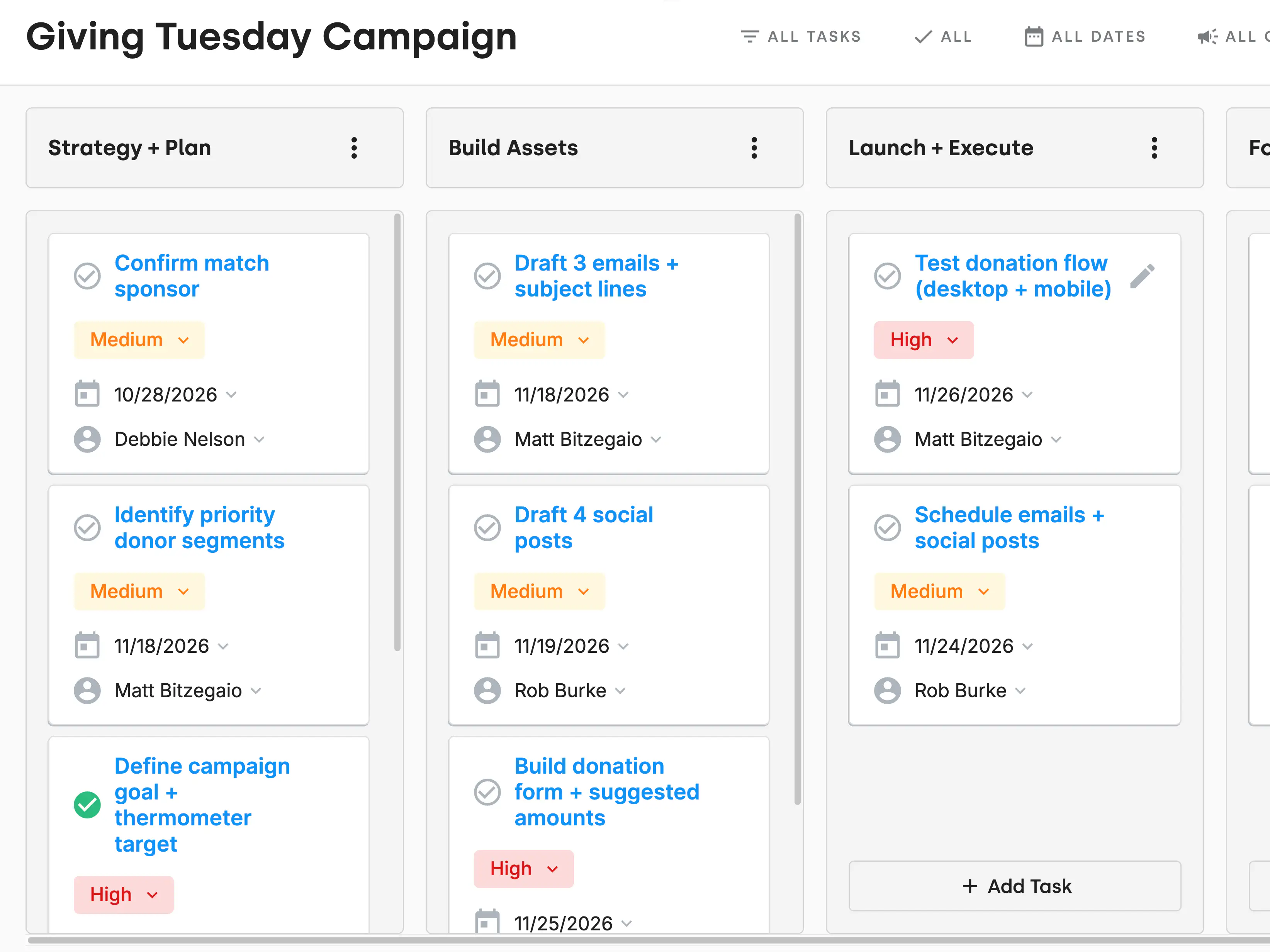
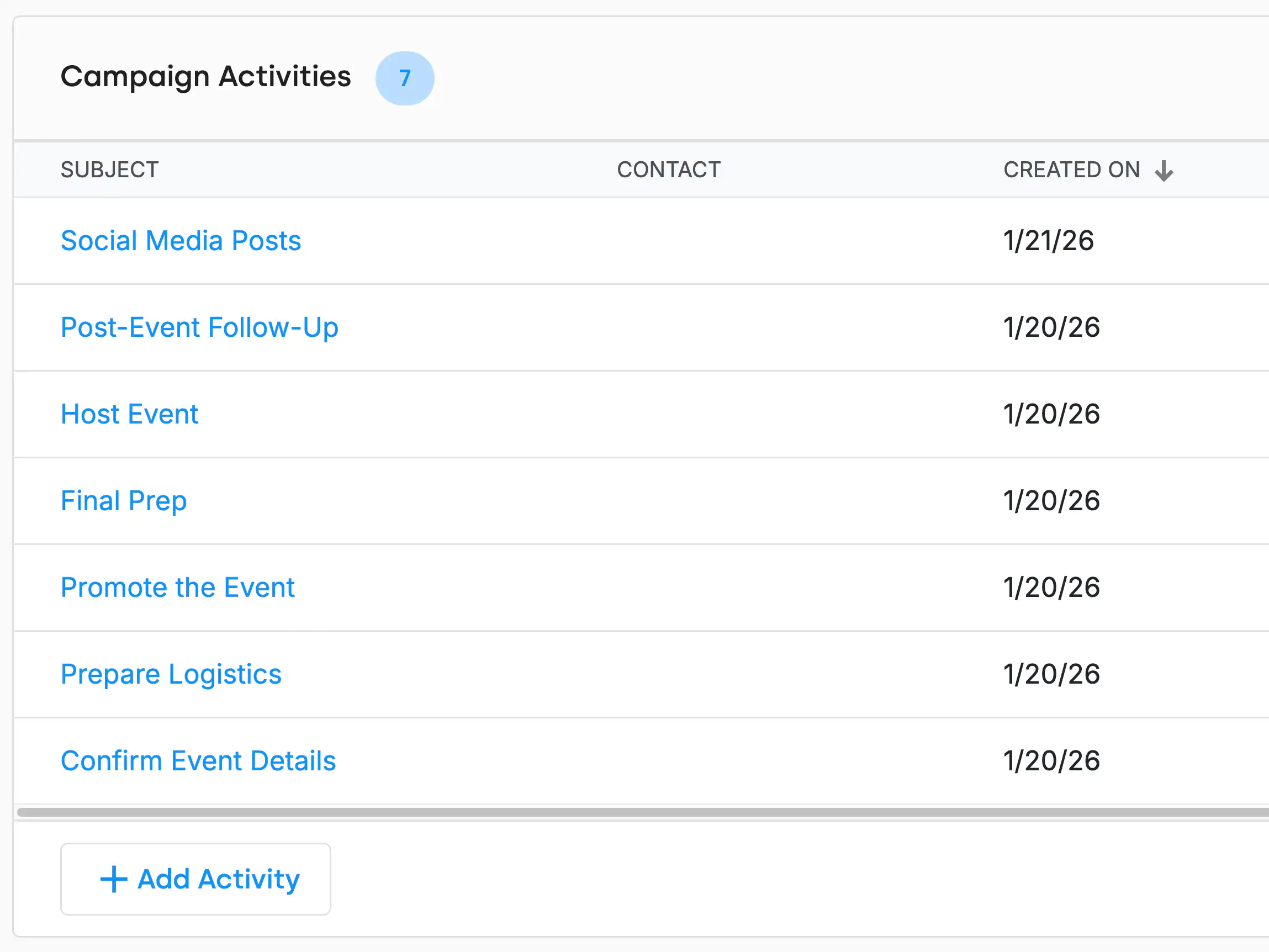
Link Tasks to a specific campaign or appeal so everyone knows why the work matters.

DonorDock campaign details view
Activities tied directly to donor

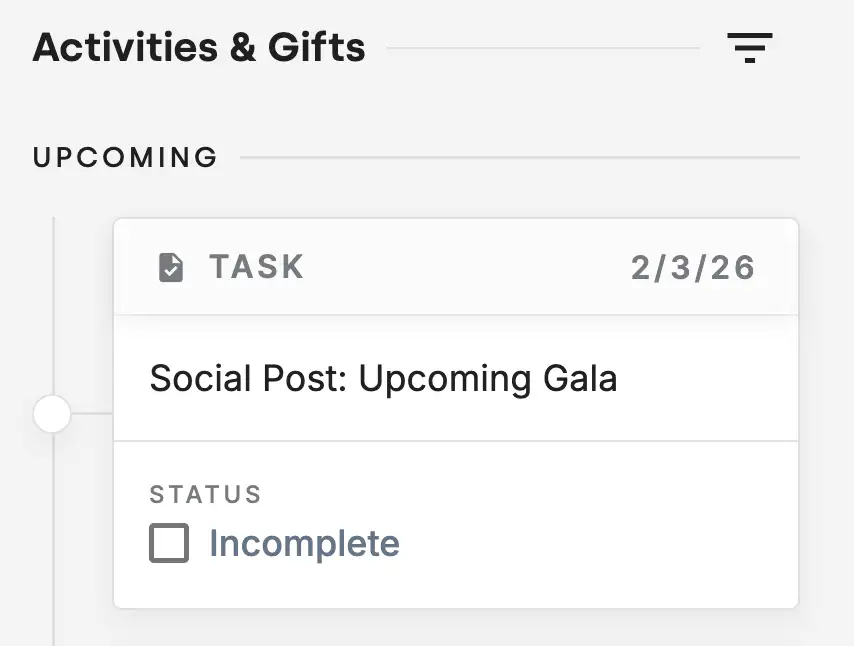
Tie tasks directly to people, not just projects. Giving your team a shared, always-up-to-date view of the relationship.

DonorDock contact details view showing upcoming task
Progress you can actually see

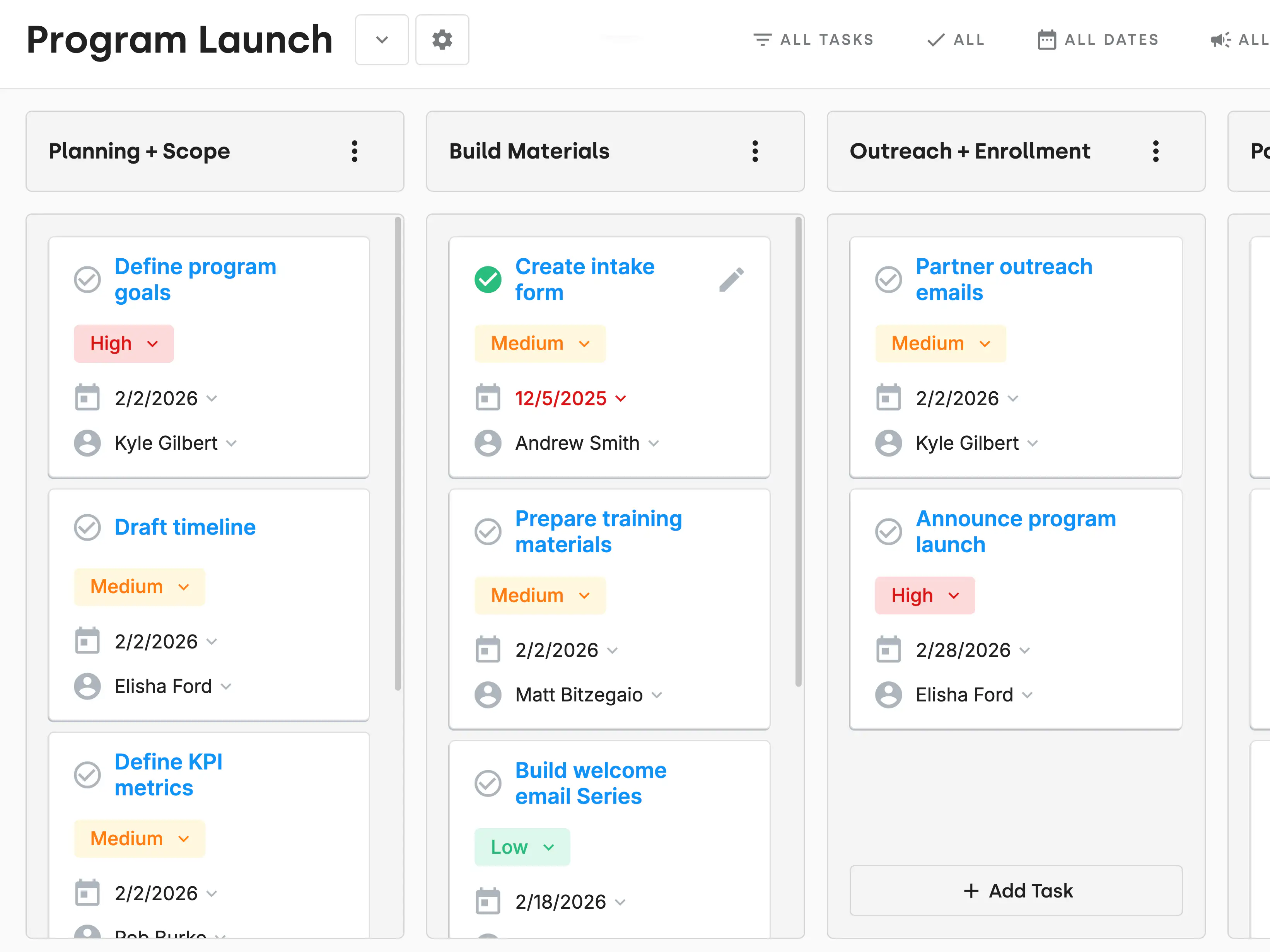
see how work is progressing across fundraising efforts in one place.

DonorDock Project Board showing program launch

Voted #1 for Growing Nonprofits

G2 Fundraising Easiest to Do Business With badge
G2 Fundraising Best Support badge
G2 Donor Management Easiest Setup badge
G2 Momentum Leader badge
G2 Fundraising Easiest to Use badge
G2 Fundraising Easiest Admin badge
G2 Donor Management Best Meets Requirements badge

Raise more with Online Giving

Learn more
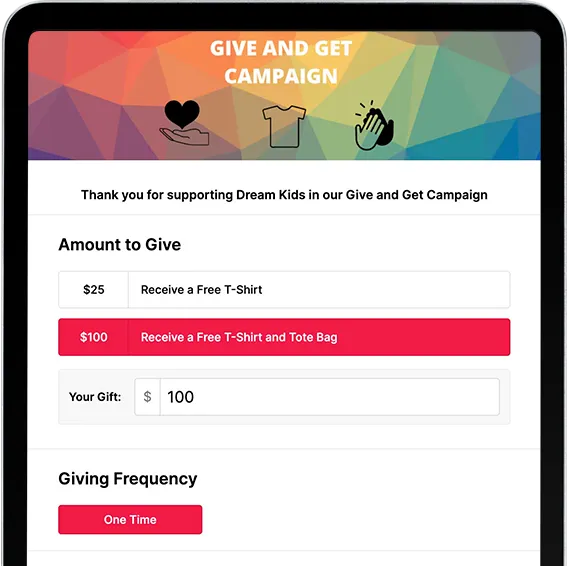
PlatformCTA OnlineGivingTablet cropped

Frequently asked questions

Are project boards private or shared?

Project boards can be shared across the team, and permissions control what users can access inside each workspace.

Last updated
February 25, 2026
Can DonorDock replace Trello, Asana, or ClickUp for small teams?

Yes. DonorDock provides project boards, ask boards, action boards, tasks, reminders, automations, and calendars all tightly connected to the CRM, giving you a unified system for donor work and internal fundraising projects.

For many nonprofits, DonorDock can replace separate project management tools like Trello, Asana, or ClickUp.

Last updated
February 25, 2026
Can I assign tasks to other team members?

Yes! You can assign tasks to anyone on your team and track progress, due dates, and completion.

Last updated
February 25, 2026
Can I manage grant deadlines and reporting?

Yes. Ask Boards and reminders help you track grant application deadlines, report submissions, and documentation requirements, and you can set up grant funds for easy reporting and management.

Last updated
February 25, 2026
Can I track campaign tasks or fundraising activities?

Yes. You can create a board for each campaign and manage outreach, milestones, deadlines, and reporting tasks all in one place.

Last updated
February 25, 2026
Can I use boards to track donor journeys or moves management?

Yes! Columns can represent stages like identification, qualification, cultivation, solicitation, and stewardship.

Last updated
February 25, 2026
Can I use DonorDock to plan events?

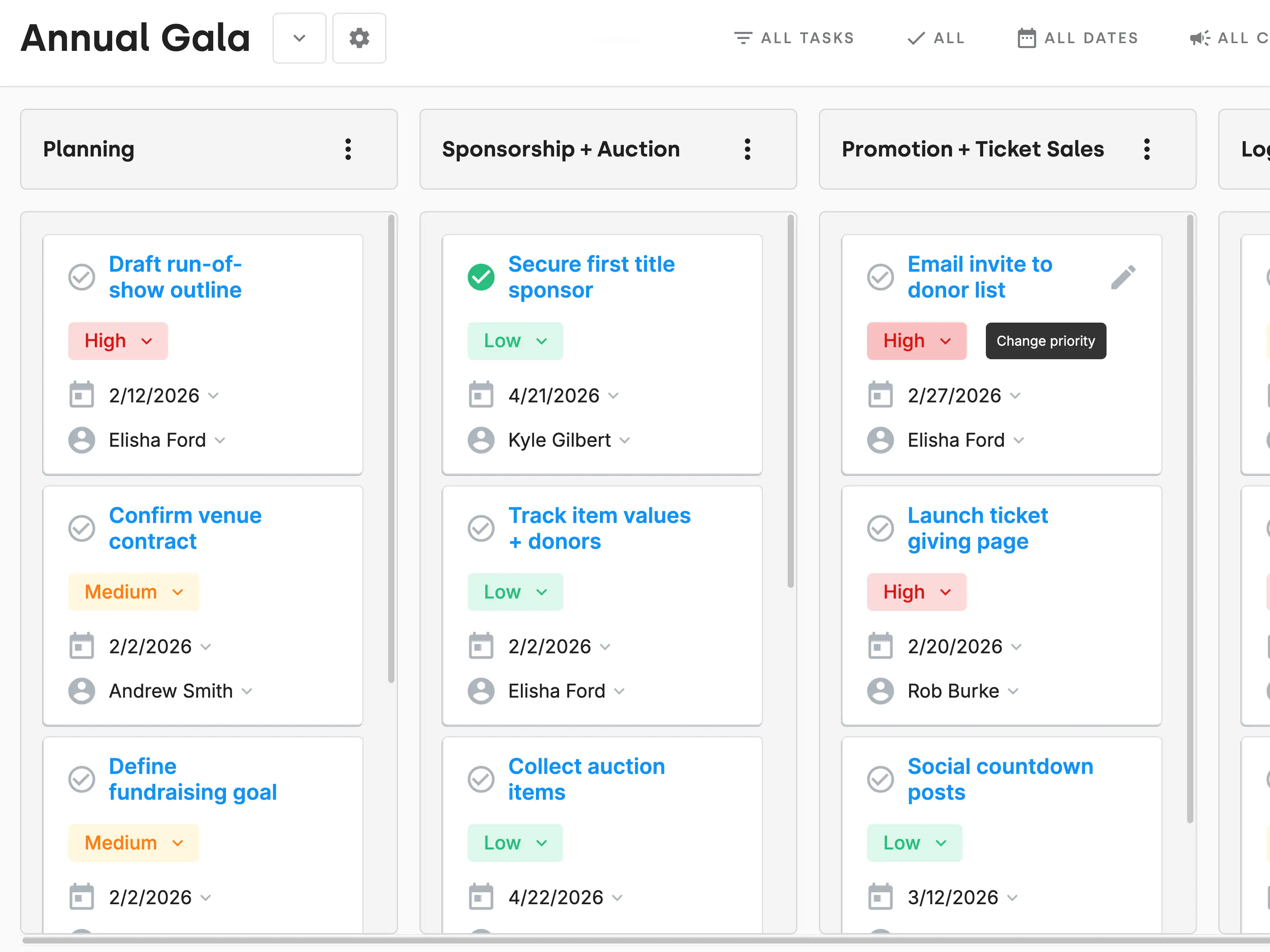
Yes. You can organize event tasks, sponsorship follow-up, logistics, and communication inside project boards and assign tasks to team members to roll up into each person's Action Board.

Last updated
April 17, 2026
Does DonorDock support Kanban-style boards?

Yes. You can drag tasks between columns to track progress visually and customize columns for your own workflow, similar to Trello or Asana.

Last updated
February 25, 2026
How does project management connect to the CRM?

Tasks and boards sync with donor records, campaigns, and interactions. When you complete a task or log activity, it shows up in the donor’s timeline automatically.

Last updated
February 25, 2026
How does project management help with donor follow-up?

Every follow-up task is tied to a donor, and reminders ensure you stay on schedule. Smart Nudges from Otto ensure you never miss a thank you, happy birthday, or any touchpoint that will strengthen your donor relationships. Activity shows up in the donor’s record so you always see the full history.

Last updated
February 25, 2026
What project management features does DonorDock include?

DonorDock includes boards at all levels of project management. The Project Board allows for project management at a team or organization level. The Ask board allow for pipeline management for things like major asks, grant applications, etc. The ActionBoard rolls up all assiged tasks for each person to manage and provide build in nudges for nurturing donor relationships so nothing falls through the cracks. You can manage projects, tasks, reminders, due dates, and activity tracking. These tools help you organize fundraising work, grant deadlines, campaigns, events, and donor follow-up all in one workspace.

Last updated
February 25, 2026
Why does DonorDock have project management built in?

It’s designed so lean teams can manage donor tasks, follow-ups, campaigns, and internal projects without needing separate tools like Trello or Asana. This allows for saving time and having a full picture of how tasks effect donor stewardship, campaigns, asks, funds, and events.

Last updated
February 25, 2026